
Expense tracking without the spreadsheets
Log expenses, categorise spending, and stay prepared for tax season — quickly and painlessly.
Create Free AccountStay on top of every business cost
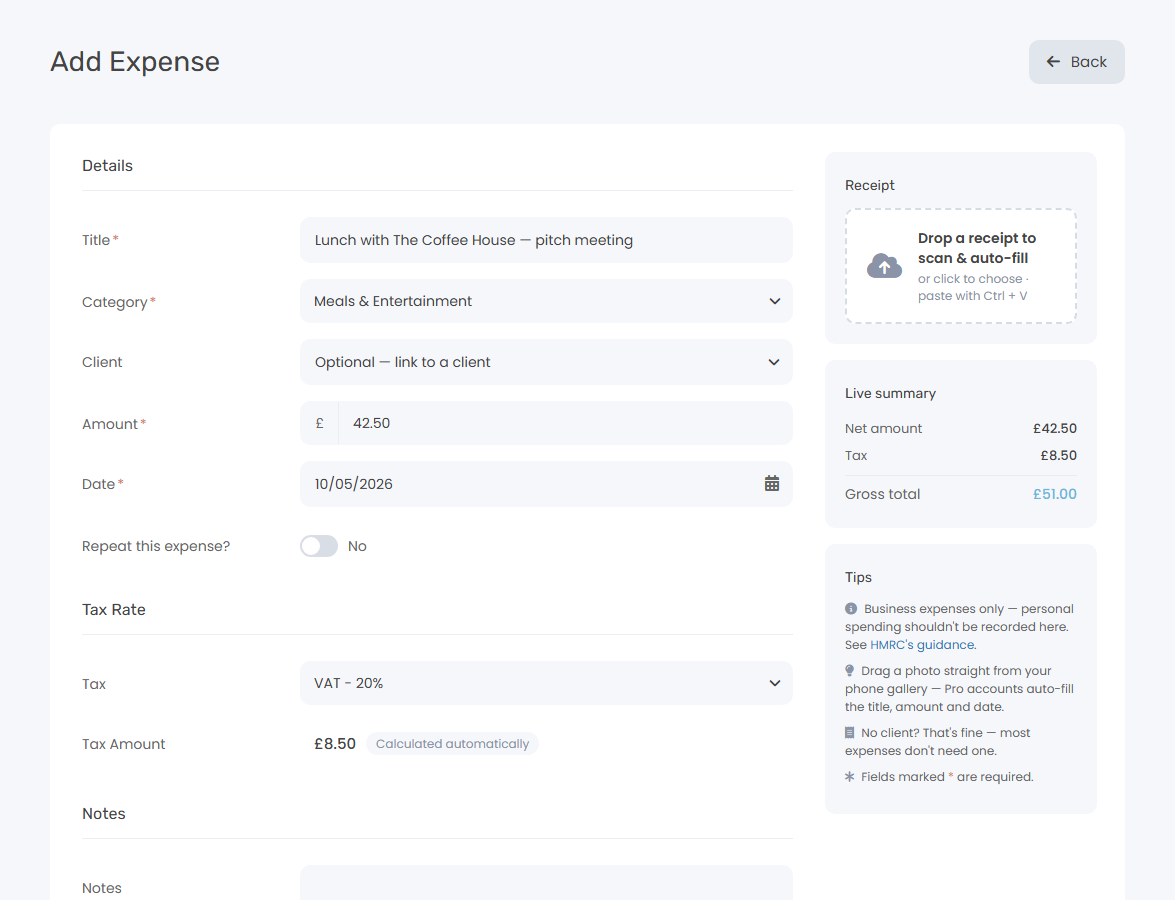
Log the expense
Enter the amount, pick a category, and add a note.
Categorise it
Use built-in categories or create your own. Keepr keeps your spending organised by type.
Report at tax time
Run a profit & loss or tax summary report. Your expenses are already sorted — no last-minute scramble.
Log expenses before you forget them
The longer you wait, the harder it gets. Keepr makes it quick to record expenses as they happen — whether it's a train ticket, a software subscription, or a client lunch. On Pro, drop a photo of the receipt and Keepr fills the form for you.
- Amount, date, category, and notes
- VAT handled automatically
- Snap a receipt and let Keepr fill the form (Pro)
- Set up recurring expenses for regular costs
Tax season without the panic
When your self-assessment deadline arrives, your numbers are already done. Keepr's reports pull directly from your logged expenses and income — no spreadsheets, no guesswork.
- Profit & loss report by date range
- Tax summary with VAT breakdown
- Filter by category or client
- Export to CSV for your accountant
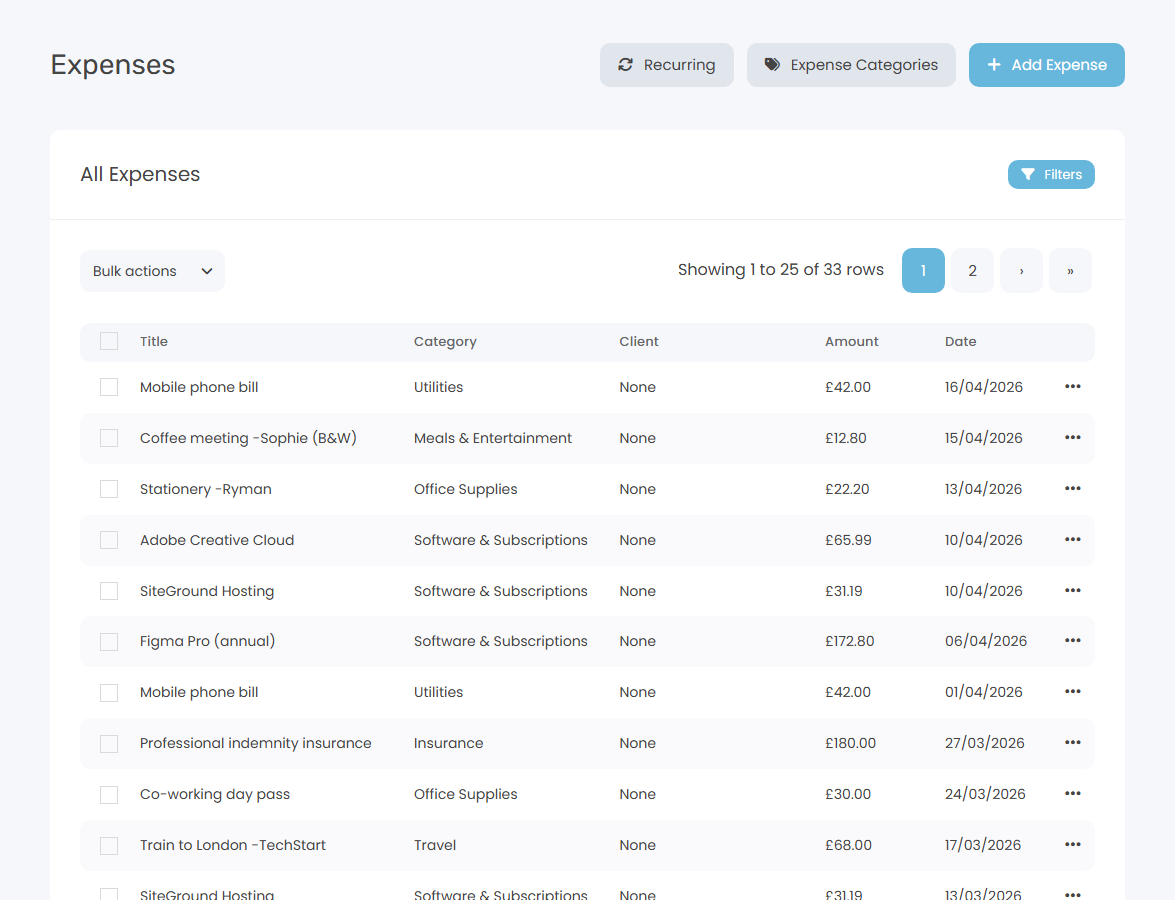
Quick Expense Logging
Add expenses in seconds with amount, date, category, and notes.
Custom Categories
Organise spending with categories that match your business.
Receipt Scanning Pro
Drop a photo of a receipt and Keepr fills in the amount, date, merchant, and category for you.
Recurring Expenses Pro
Set up regular costs like subscriptions so they're logged automatically.
Tax-Ready Reports
Profit & loss and tax summary reports pull directly from your expenses.
How Keepr compares
Take the stress out of expenses
Join freelancers who never scramble at tax time again.
Create Free AccountCommon questions
Is expense tracking really free?
Yes — completely free, forever. Log unlimited expenses and create custom categories without paying anything. No trial period, no caps.
How does VAT work on expenses?
Set a VAT rate on each expense and Keepr calculates the VAT amount automatically. Your reports show a clear VAT breakdown — ready for your tax return.
Can I create my own expense categories?
Yes. Keepr comes with common categories pre-loaded (travel, software, office supplies, etc.), and you can add, rename, or reorganise them however you like.
Can Keepr read my receipts?
Yes — with Keepr Pro. Drop a photo of a receipt onto the expense form and Keepr extracts the amount, tax, merchant, date, and category automatically. Confidence-aware: high-confidence values get a "scanned" badge, lower-confidence ones get a "verify" prompt so you can double-check before saving. Free users can attach receipt images to expenses without the auto-fill.
Simple, transparent pricing
One flat monthly price. No hidden fees, no surprises.
Free
£ 0 / forever
Pro
£ 9.00 / month
Expense tracking is just the start
Built for people who'd rather be working
Freelancers, consultants, and founders use Keepr to spend less time on admin and more time doing what they love.

Freelance HR
Software Developer
Designer
Start using Keepr for free
Unlimited invoicing, time tracking, expenses, projects, mileage, and quotes — free forever. Try Pro automation features (recurring invoices, auto-collect, automated reminders, no Keepr fee on card payments) for 14 days, no credit card required.
By creating an account you agree to our Terms and Conditions and Privacy Policy.
This site is protected by reCAPTCHA and the Google Privacy Policy and Terms of Service apply.