
Free invoice software for UK freelancers
Create professional invoices, accept card payments via Stripe, and get paid faster. Unlimited clients, unlimited invoices — free forever.
Create Free AccountGet paid in three simple steps
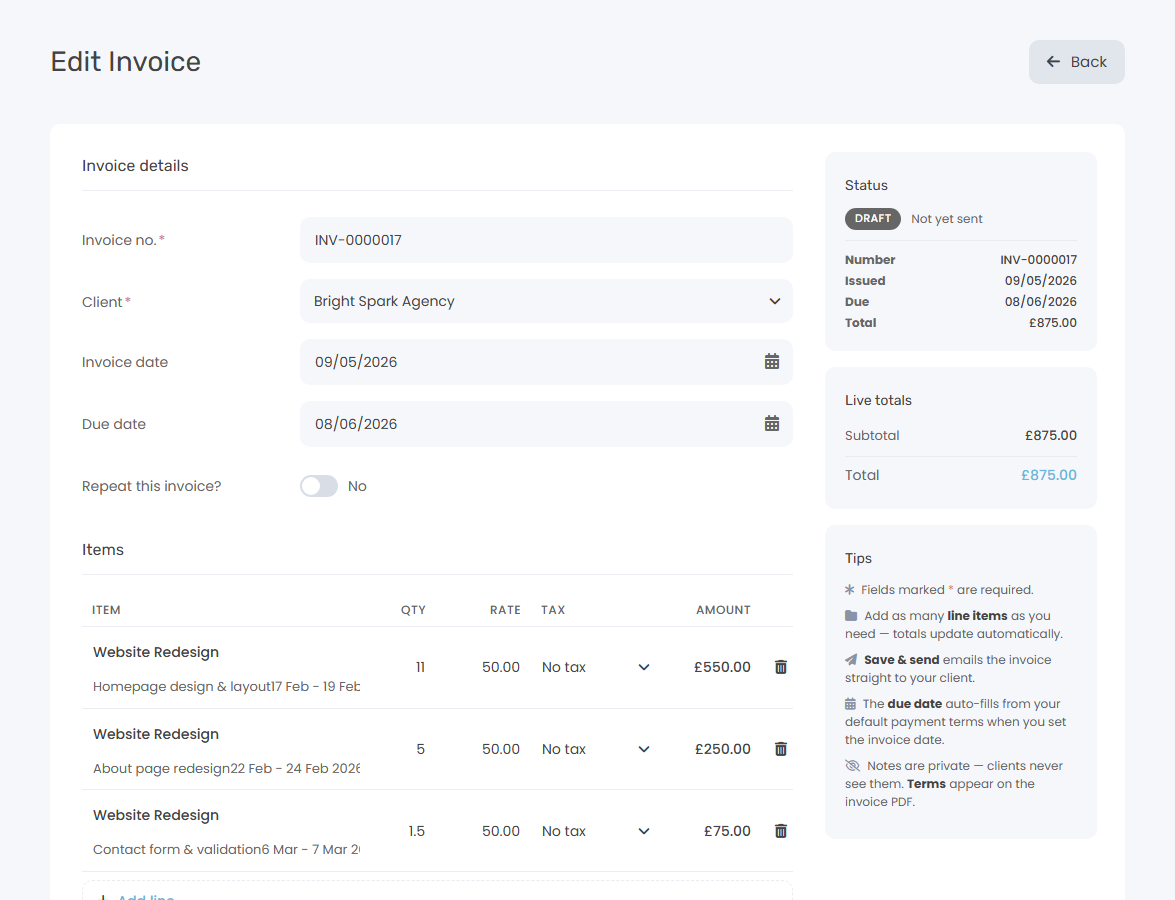
Create your invoice
Add your client, line items, and VAT. Keepr formats everything into a clean, professional invoice with your logo and custom numbering.
Send it to your client
Email the invoice straight from Keepr. Your client gets a professional email with a PDF attachment and a link to pay by card.
Get paid automatically
Clients pay by card via Stripe — the invoice is marked as paid in real time. No manual updates, no chasing.
Professional invoices in under a minute
No more messing with Word documents or spreadsheets. Add your line items, set the VAT rate, and Keepr handles the formatting — your logo, business details, and custom invoice numbers included.
- Multiple line items with quantities, rates, and VAT
- Automatic invoice numbering (e.g. INV-001)
- Your logo and business details on every invoice
- PDF download and direct email sending
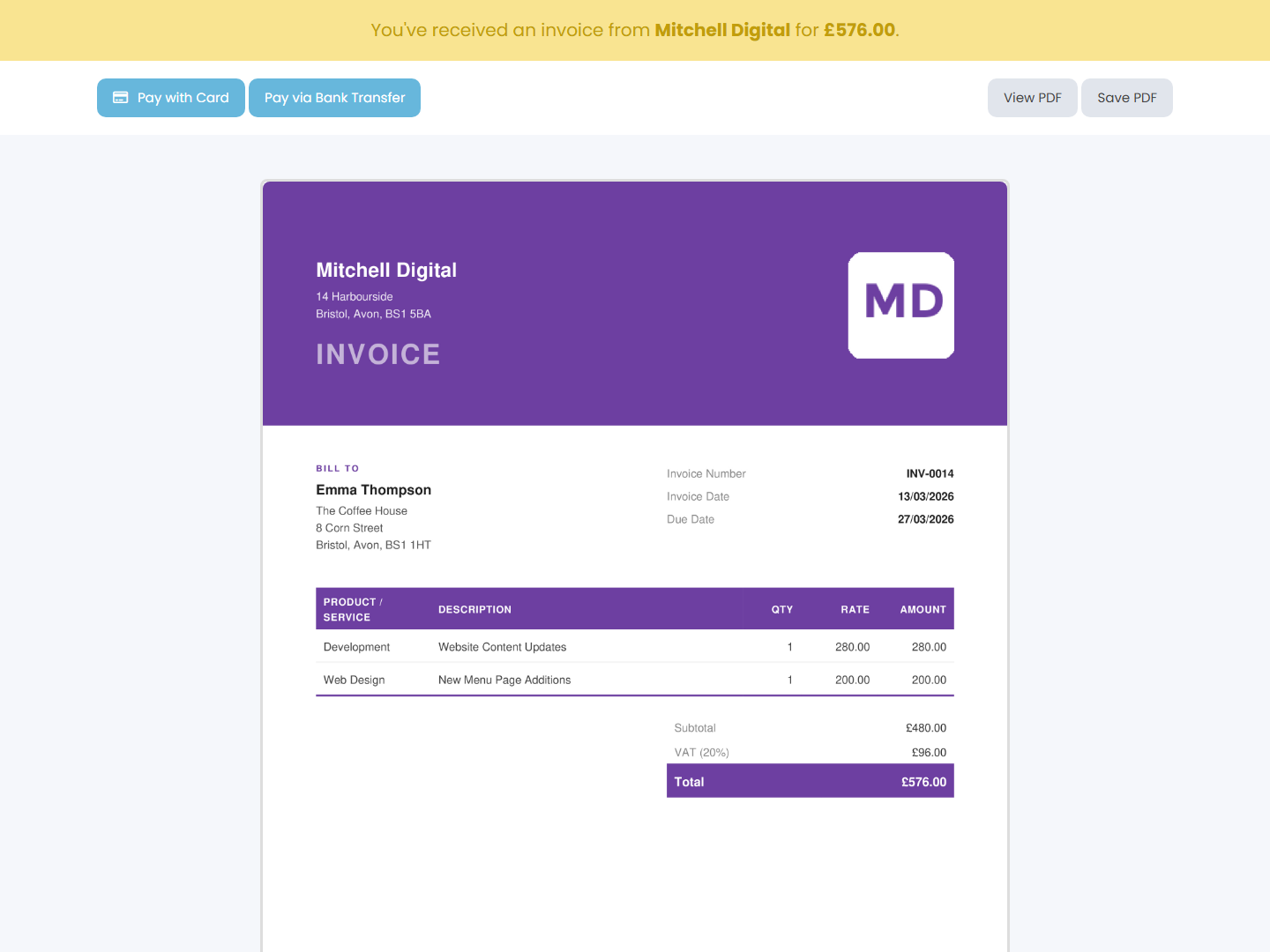
Accept card payments — money goes straight to you
Connect your Stripe account in two clicks. When clients open your invoice, they see a “Pay by Card” button. They pay, you get the money directly — Keepr never holds your funds.
- One-click Stripe Connect setup
- Clients pay from the invoice email
- Invoice marked as paid automatically
- Standard Stripe fees only — no hidden charges
Unlimited Invoicing
Create and send as many invoices as you need — no caps, no monthly limits. Add line items, VAT, custom terms, notes, and your logo.
Card Payments via Stripe
Clients pay directly from the invoice email. Funds land in your bank account — Keepr never touches your money.
Real-time Invoice Tracking
Know exactly where every invoice stands: draft, sent, viewed, partially paid, or fully paid. No guesswork.
Recurring Invoices Pro
Invoice the same client monthly? Set up a schedule and Keepr creates and sends them automatically.
Time or Project to Invoice
Bill by the hour from tracked time, or bill a fixed-fee project at its agreed value. One click each — no double entry.
Payment Reminders Pro
Send manual reminders for free, or upgrade to Pro for automatic chasers on your schedule.
How Keepr compares
Stop chasing payments. Start getting paid.
Join freelancers who spend less time on admin and more time doing the work they love.
Create Free AccountCommon questions
Is Keepr really free?
Yes — genuinely free, forever. You can create unlimited invoices, track unlimited clients, and send as many invoices as you like without paying a penny. There's no trial that expires and no hidden upgrade wall.
What does Keepr Pro add?
Pro adds automation: recurring invoices, automated payment reminders, and custom branding (your logo on invoices instead of Keepr's). Everything you can do manually on the free plan, Pro automates for £9/month.
What are the Stripe fees?
Stripe charges 1.5% + 20p per UK card payment — that goes to Stripe, not Keepr. On the free plan, Keepr adds a 1% application fee (2.5% + 20p total). On Pro, there's no Keepr fee on top — you pay exactly Stripe's standard 1.5% + 20p.
Can I customise my invoices?
Yes. You can set your own invoice numbering, add your logo, include custom terms and notes, and set default VAT rates. Pro users can also remove Keepr branding entirely.
Can Keepr pre-fill invoices for me?
Yes — two paths. From time entries: pick the unbilled hours you want to bill, group them by project or task, and Keepr builds the invoice line items for you. From a project: if you've set an estimate on a project, one click opens the form pre-filled with the client and a single line at the agreed value. Discoverable shortcuts sit at the top of the standard Add Invoice form for users who arrive without context.
Does Keepr handle VAT?
Yes. You can set VAT rates per line item and Keepr calculates the totals automatically. Your invoices show a clear VAT breakdown — ready for your tax return or your accountant.
Simple, transparent pricing
One flat monthly price. No hidden fees, no surprises.
Free
£ 0 / forever
Pro
£ 9.00 / month
Invoicing is just the start
Built for people who'd rather be working
Freelancers, consultants, and founders use Keepr to spend less time on admin and more time doing what they love.

Freelance HR
Software Developer
Designer
Start using Keepr for free
Unlimited invoicing, time tracking, expenses, projects, mileage, and quotes — free forever. Try Pro automation features (recurring invoices, auto-collect, automated reminders, no Keepr fee on card payments) for 14 days, no credit card required.
By creating an account you agree to our Terms and Conditions and Privacy Policy.
This site is protected by reCAPTCHA and the Google Privacy Policy and Terms of Service apply.