
Time tracking that turns hours into invoices
Track every billable minute, assign time to clients and projects, then invoice for it — all in one tool.
Create Free AccountFrom tracked time to paid invoice
Track your time
Start the built-in timer or add entries manually. Every minute gets linked to a client and project.
Review your hours
Filter by client, project, or date range. See exactly where your time went before you bill for it.
Invoice for it
Select your tracked hours and convert them into a detailed invoice with one click.
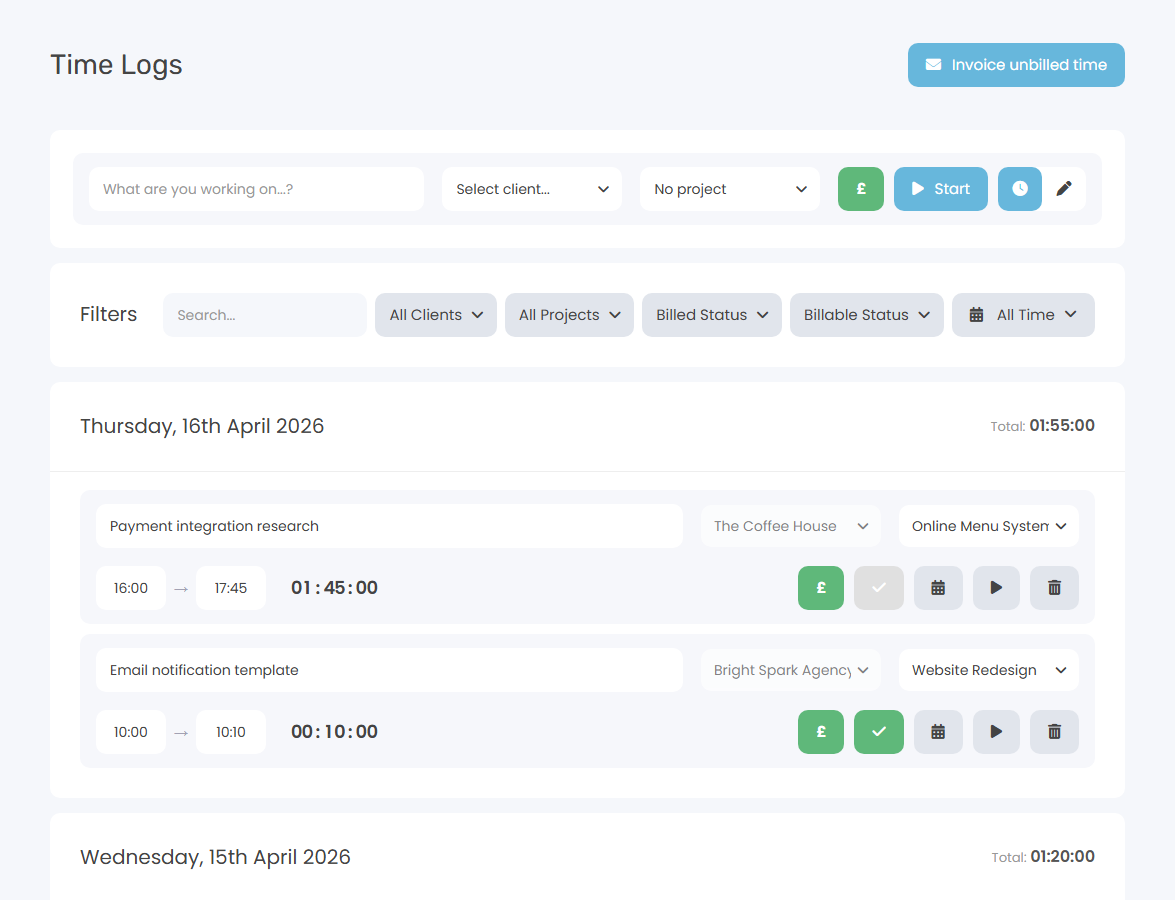
A timer that stays out of your way
Click start, do your work, click stop. The timer runs in the header so you always know it's going, without interrupting what you're doing.
- One-click start and stop from any page
- Assign to a task, project, and client
- Add notes to describe what you worked on
- Edit entries after the fact if you forget to stop
Turn hours into money
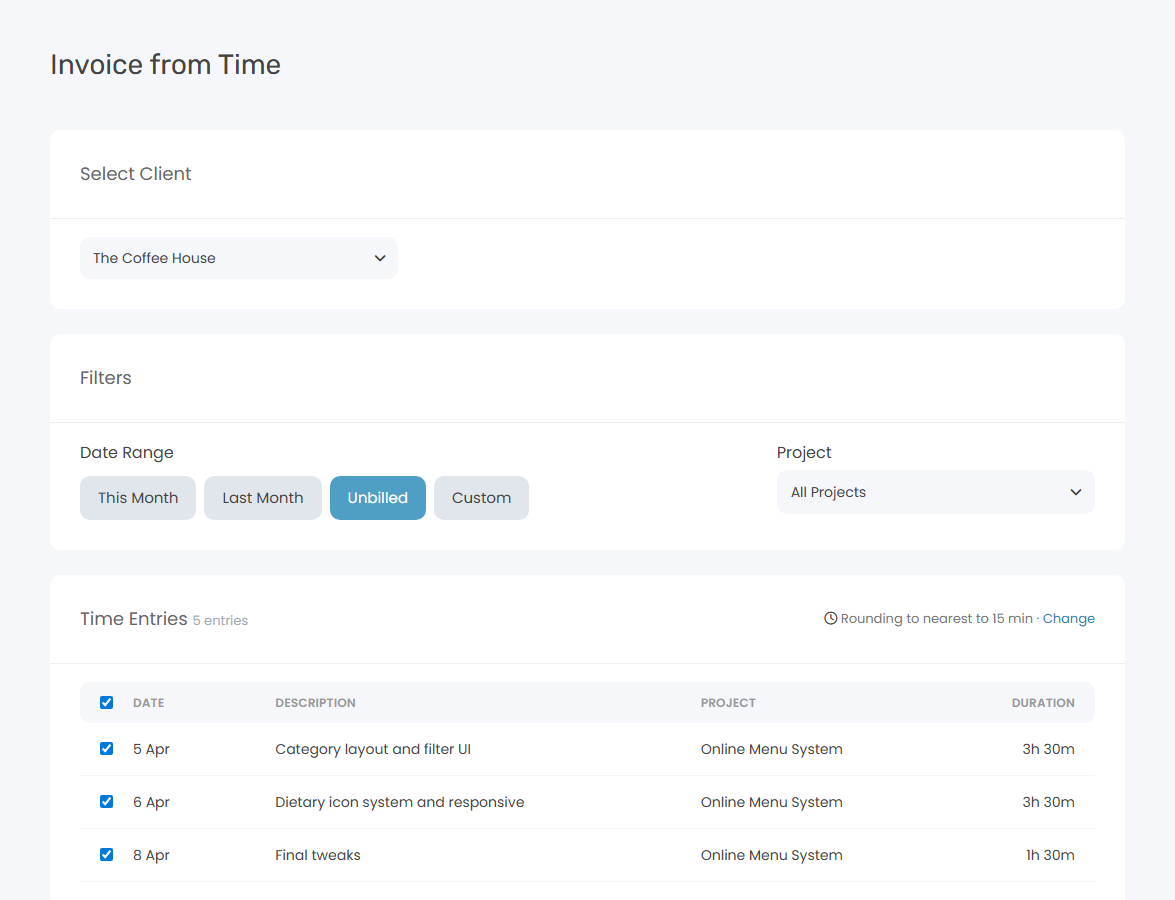
Stop copying time logs into spreadsheets. Select the billable hours you want to invoice, hit a button, and Keepr creates a line-itemised invoice ready to send.
- Pick which entries to include
- Hourly rates applied automatically
- Detailed breakdown on the invoice
- Tracked time marked as invoiced
Built-In Timer
Start the clock with one click. Timer runs in the background while you work.
Manual Time Entry
Prefer to log time after the fact? Add entries manually with date, duration, and notes.
Billable vs Non-Billable
Tag time entries as billable or non-billable to see your true earning hours.
Client & Project Assignment
Assign every time entry to a client and project for accurate tracking.
Time Reports
Daily, weekly, and monthly breakdowns. Filter by client, project, or date range. Pro adds profitability reports comparing what you quoted against the hours you actually worked.
Convert Time to Invoices
Select tracked time and generate a detailed invoice in seconds.
How Keepr compares
Start tracking your time today
Join freelancers who bill accurately and get paid for every hour.
Create Free AccountCommon questions
Is Keepr's time tracking really free?
Yes — completely free, forever. Track unlimited hours across unlimited clients and projects. There's no trial period and no hidden upgrade wall.
Can I track time against specific projects?
Yes. Every time entry can be assigned to a client and project. This makes it easy to see exactly how long you spent on each piece of work and invoice accurately.
How does time-to-invoice work?
Select the billable time entries you want to invoice, click a button, and Keepr creates a detailed invoice with each entry as a line item. Hourly rates are applied automatically from your project settings.
Can I log time manually?
Yes. You can use the built-in timer for real-time tracking, or add entries manually with a date, duration, and description. Both methods work alongside each other.
What does Keepr Pro add for time tracking?
Pro adds advanced time reports with detailed breakdowns by client and project, plus recurring invoices, automated payment reminders, and custom branding. Everything on the free plan stays free forever.
Simple, transparent pricing
One flat monthly price. No hidden fees, no surprises.
Free
£ 0 / forever
Pro
£ 9.00 / month
Time tracking is just the start
Built for people who'd rather be working
Freelancers, consultants, and founders use Keepr to spend less time on admin and more time doing what they love.

Freelance HR
Software Developer
Designer
Start using Keepr for free
Unlimited invoicing, time tracking, expenses, projects, mileage, and quotes — free forever. Try Pro automation features (recurring invoices, auto-collect, automated reminders, no Keepr fee on card payments) for 14 days, no credit card required.
By creating an account you agree to our Terms and Conditions and Privacy Policy.
This site is protected by reCAPTCHA and the Google Privacy Policy and Terms of Service apply.