
Organise your work, know your numbers
Projects, tasks, time tracking, and profitability — all connected so you always know where you stand.
Create Free AccountKeep every project under control
Set up a project
Create a project, assign it to a client, and set an hourly rate. Everything starts here.
Break it into tasks
Add tasks to each project. Track what's to do, what's in progress, and what's done.
Track and invoice
Log time against tasks, see how the hours stack up against your estimate, and invoice for the work when it's complete.
Projects, tasks, and time — all connected
Most freelancers juggle projects across notebooks, spreadsheets, and to-do apps. Keepr brings it all into one place: projects link to clients, tasks link to projects, and time links to tasks.
- Create projects with hourly rates
- Break work into trackable tasks
- Log time directly against tasks
- See progress at a glance
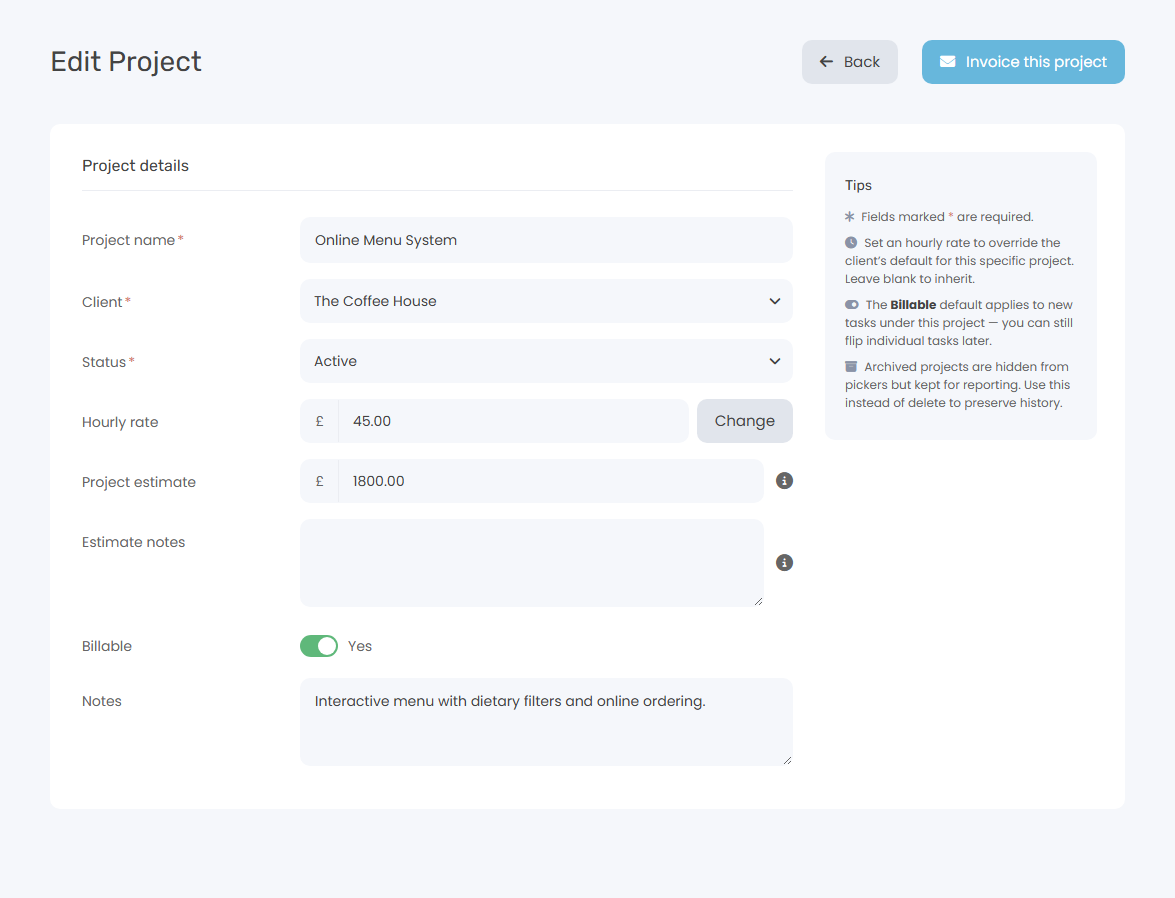
Two ways to invoice — pick what fits the project
Hourly work? Log time against tasks and convert those hours into a detailed invoice with one click. Fixed-fee project? Set an estimate when you create it, then invoice the agreed value with a single button. Either way, hourly rates and amounts come straight from your project settings — no spreadsheets, no double entry.
- Convert tracked time to a line-item invoice
- Or invoice the project's agreed value in one click
- Hourly rates and estimates applied automatically
- Tracked time marked as invoiced
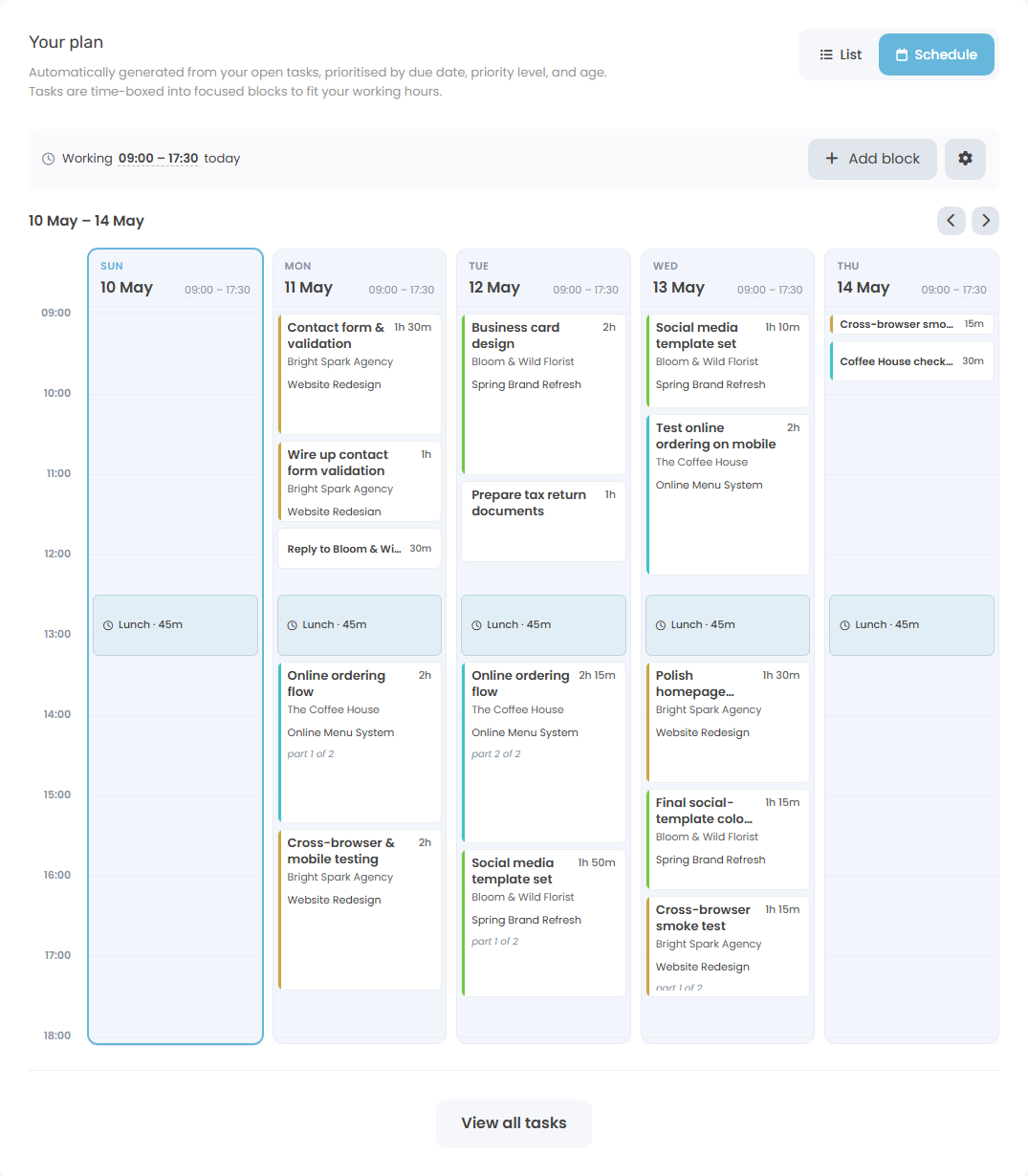
Plan your day, not just your projects
Open tasks across every project, time-boxed automatically into a working-day schedule. Drop in lunch, recurring blocks for routines, or one-off meetings — the schedule reshuffles around them so you always have a realistic plan.
- Auto-prioritised by due date and priority
- Fixed blocks for lunch, meetings, and routines
- Five-day week view at a glance
- One click to start the timer on any block
Projects with Hourly Rates
Create projects with hourly rates. Log time and convert it to invoices when the work is done.
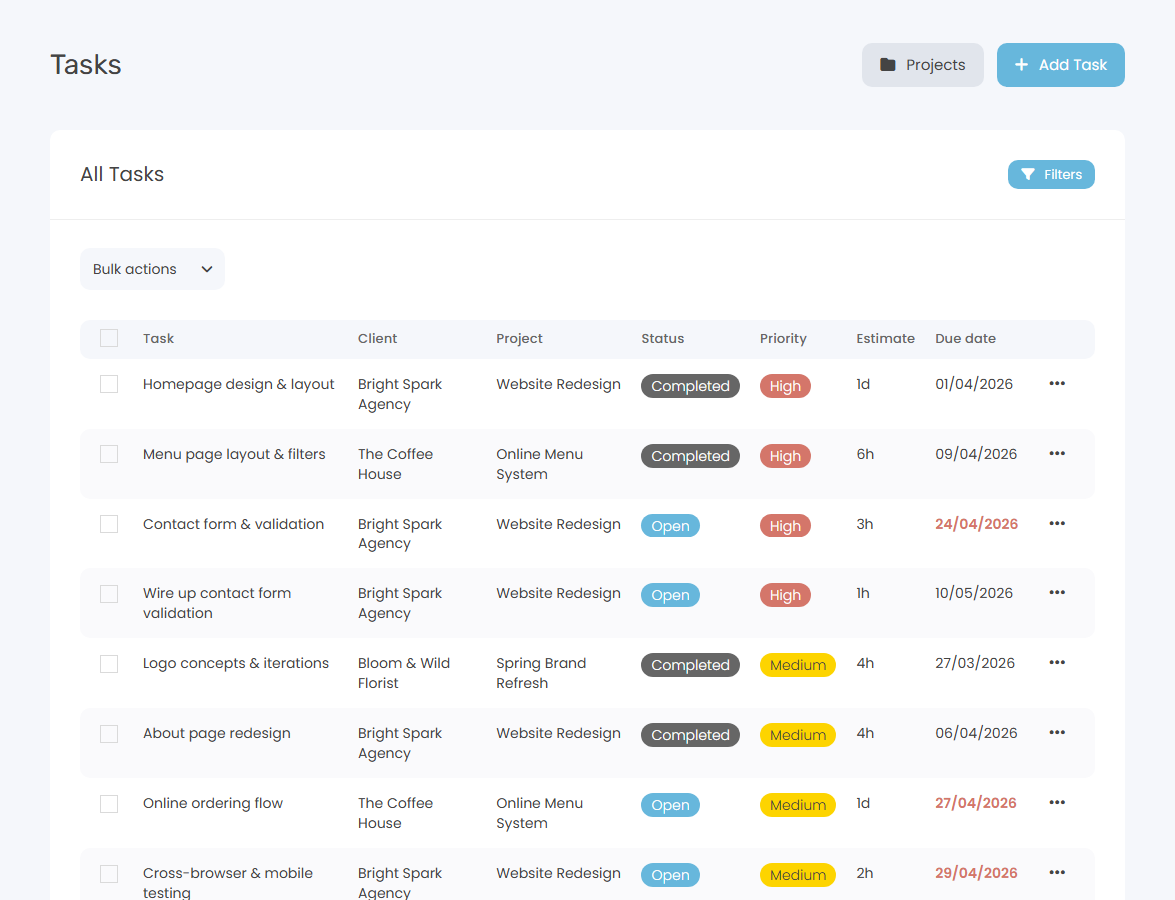
Task Management
Break projects into tasks. Create, assign, and track completion.
Time Tracking per Project
Every time entry links to a project, so you know exactly where your hours go.
Client Assignment
Link projects to clients for clear organisation and easy invoicing.
Project Estimates
Set the agreed value of each project up front. Invoice that value with one click when the work's done.
Profitability Reports Pro
Compare what you quoted against the hours you actually worked, project by project and client by client.
How Keepr compares
Get organised. Stay profitable.
Join freelancers who know exactly where their time and money goes.
Create Free AccountCommon questions
Is project management really free?
Yes — completely free, forever. Create unlimited projects and tasks, assign them to clients, and track time against them. No trial period, no caps.
Can I track time against tasks?
Yes. Every time entry can be linked to a specific task and project. Start the timer from the work page and assign it to a task, or log time manually after the fact.
Can I invoice for project work?
Yes — two ways. Hourly: track time against tasks and convert the hours to a line-item invoice. Fixed-fee: set an estimate on the project and invoice that agreed value in one click. Hourly rates and amounts apply automatically from your project settings.
How do I know if a project was profitable?
Set an estimate when you create the project, then log time as you work. Pro users get a Project Profitability report that compares the agreed value against the hours actually worked, plus a Client Profitability roll-up and an Insights page that surfaces patterns — chronic underquoting, rate drift over time, and small-project overhead.
What does Keepr Pro add for projects?
Pro adds Profitability and Insights reports, advanced time reports, recurring invoices, automated payment reminders, and custom branding. Everything on the free plan stays free forever.
Simple, transparent pricing
One flat monthly price. No hidden fees, no surprises.
Free
£ 0 / forever
Pro
£ 9.00 / month
Project management is just the start
Built for people who'd rather be working
Freelancers, consultants, and founders use Keepr to spend less time on admin and more time doing what they love.

Freelance HR
Software Developer
Designer
Start using Keepr for free
Unlimited invoicing, time tracking, expenses, projects, mileage, and quotes — free forever. Try Pro automation features (recurring invoices, auto-collect, automated reminders, no Keepr fee on card payments) for 14 days, no credit card required.
By creating an account you agree to our Terms and Conditions and Privacy Policy.
This site is protected by reCAPTCHA and the Google Privacy Policy and Terms of Service apply.