
Marking an invoice as paid manually
When a client pays you outside Stripe - bank transfer, cash, cheque - log the payment in Keepr so the invoice stops showing as outstanding.
Your client has paid you by bank transfer, cash, or cheque, and you want Keepr to know. Open the invoice, click + Add payment in the Status card, type in the amount and the method, and save. Keepr updates the invoice status to Paid (or Partial if they paid less than the full amount).
If your client paid through the Pay with Card button on their invoice, you can skip this - Keepr records Stripe payments automatically. Everything else (bank transfer, BACS, cash, cheque, PayPal) gets logged by hand.
Step 1: Open the invoice
- Go to Invoices from the sidebar.
- Find the invoice in the list and click Edit.
- On the right of the page you'll see a Status card with the invoice number, dates, total, and remaining balance.
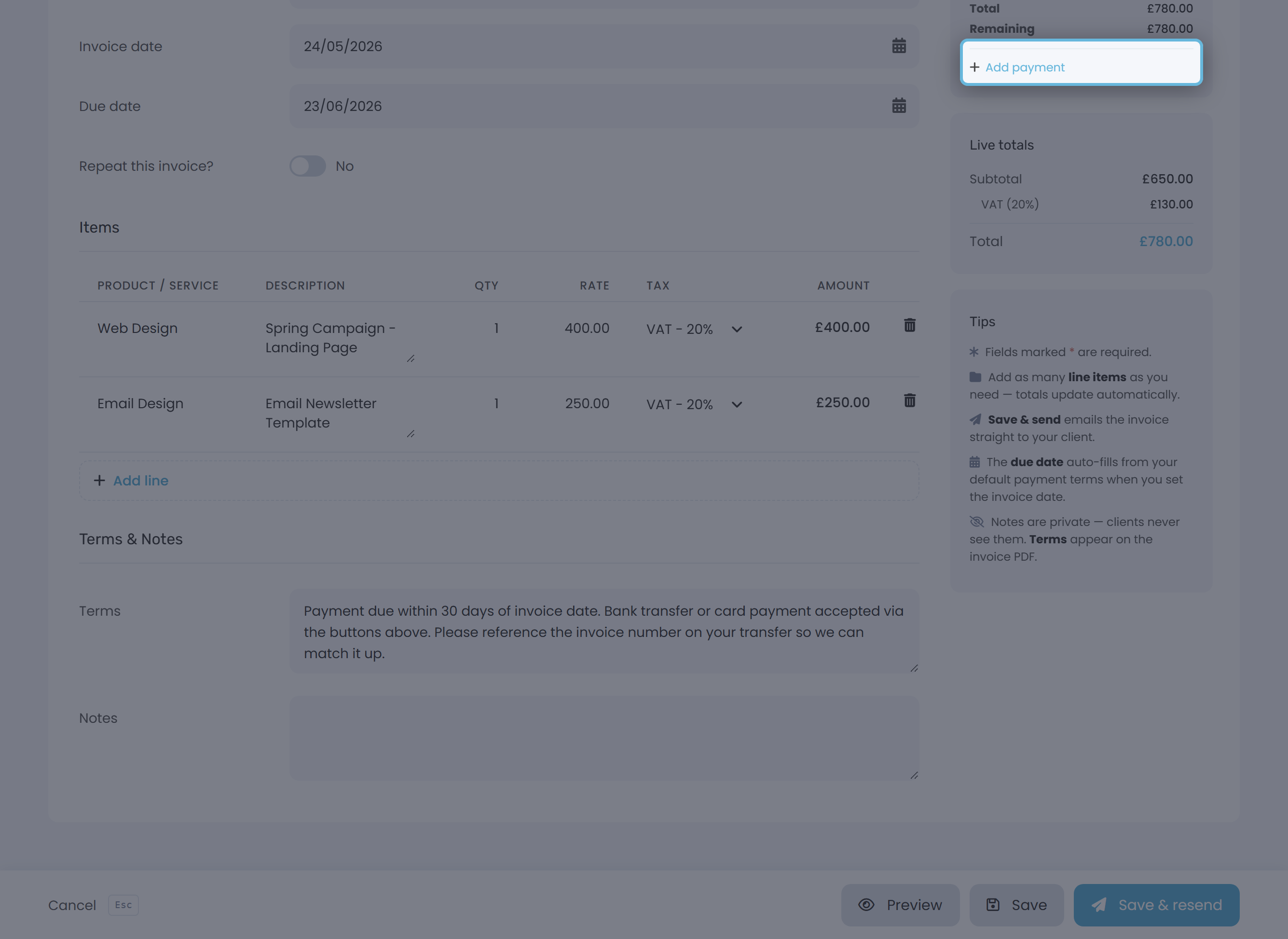
Step 2: Click + Add payment
At the bottom of the Status card is a + Add payment link. It appears whenever the invoice has money still owed against it. Click it to open the Add an Invoice Payment dialog.
Step 3: Fill in the payment details
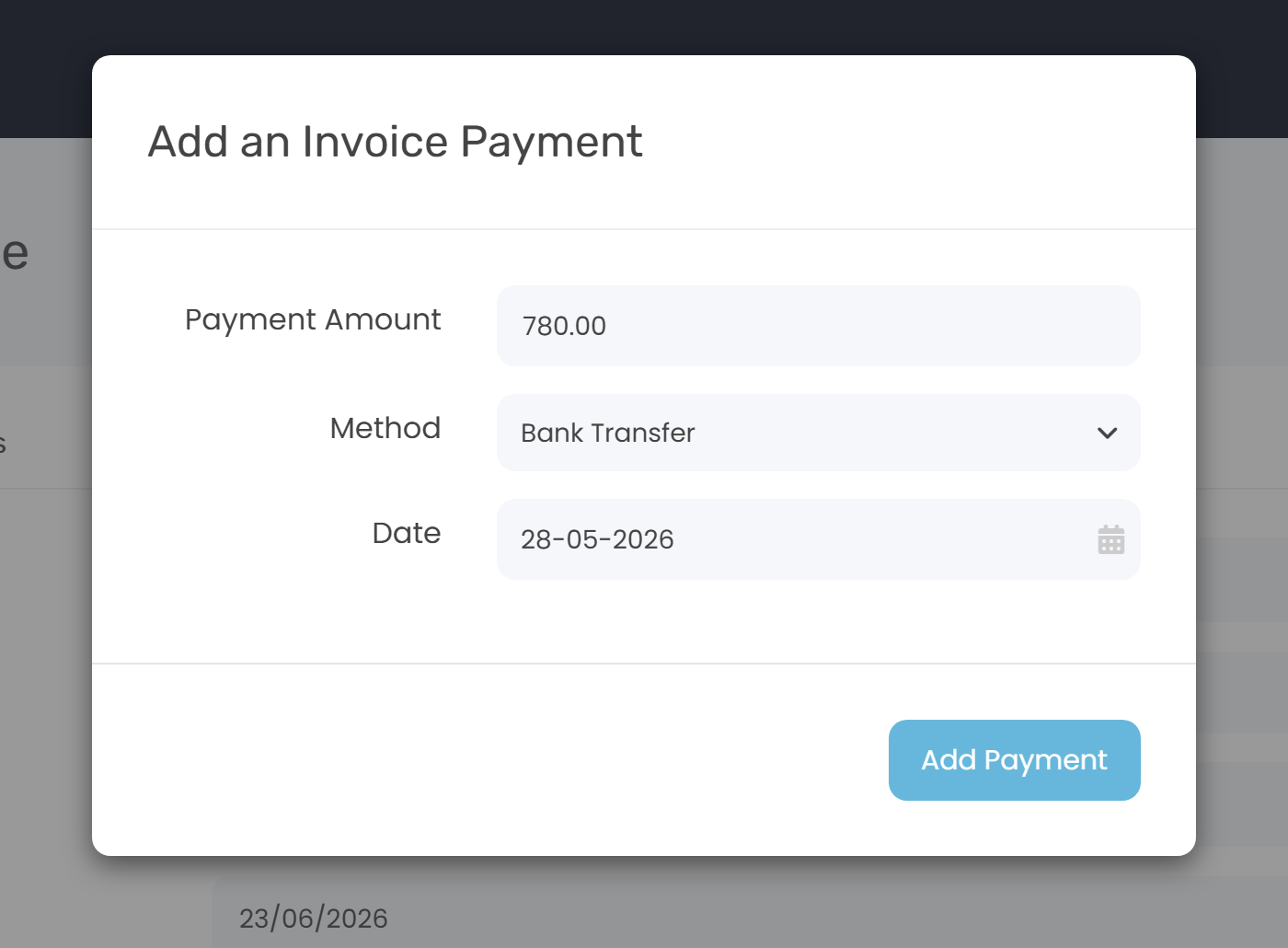
- Payment Amount - Keepr pre-fills this with the full amount still owed. Overwrite it with a smaller number if the client only paid part of the invoice.
- Method - pick how they paid: Bank Transfer, Cash, Cheque, PayPal, Credit Card, Debit Card, or Stripe.
- Date - defaults to today. Change it to the date the money actually arrived if that matters for your records (it does for VAT).
- Click Add Payment. Keepr saves the record, updates the invoice, and refreshes the page.
What happens to the invoice status
Keepr looks at what you've logged versus what's still owed, then sets the status automatically. You never set the status by hand.
| Before | Payment you logged | After |
|---|---|---|
| Sent (or Viewed) | Full remaining balance | Paid - invoice goes to your Paid invoices view. |
| Sent (or Viewed) | Less than the remaining balance | Partial - the Status card now shows a Remaining row with what's still owed. |
| Partial | Exactly the remaining balance | Paid. |
| Partial | Less than the remaining balance | Stays Partial. Remaining drops by what you logged. |
Worked example: a £500 invoice paid in two halves
You sent a £500 invoice for branding work. Status is Sent. The client pays £200 by bank transfer today and says the rest will follow in a couple of weeks.
- Open the invoice, click + Add payment.
- Payment Amount: 200. Method: Bank Transfer. Date: today. Click Add Payment.
- The Status card refreshes. Pill is now Partial. Remaining shows £300.00.
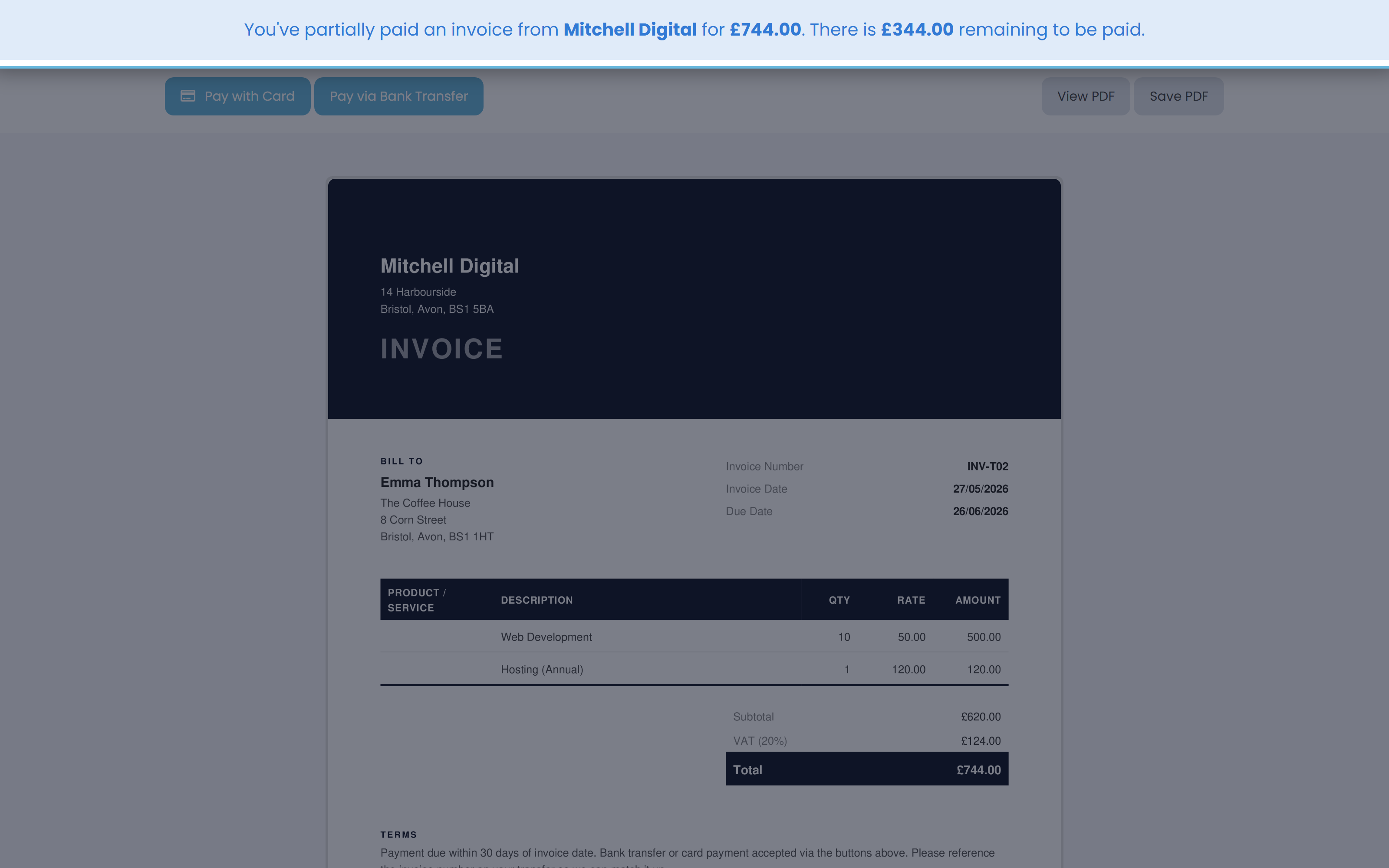
Two weeks later the rest arrives. Repeat the same steps with 300. The status flips to Paid, the + Add payment link disappears, and the invoice moves into your Paid view.
Multiple payments and Stripe-paid invoices
There's no cap on how many payments you can log against one invoice. Keep clicking + Add payment as money comes in - the link stays put until the invoice is fully paid.
If your Stripe Connect is set up under Settings → Payments and the client used the Pay with Card button, Keepr records that payment automatically. Mixing the two is fine - a manual bank-transfer entry adds to whatever Stripe has already logged on the same invoice.