
Reading your Profit & Loss in Keepr
What each row means, how the date range and billing-type filters work, and how to read your monthly bottom line without an accounting degree.
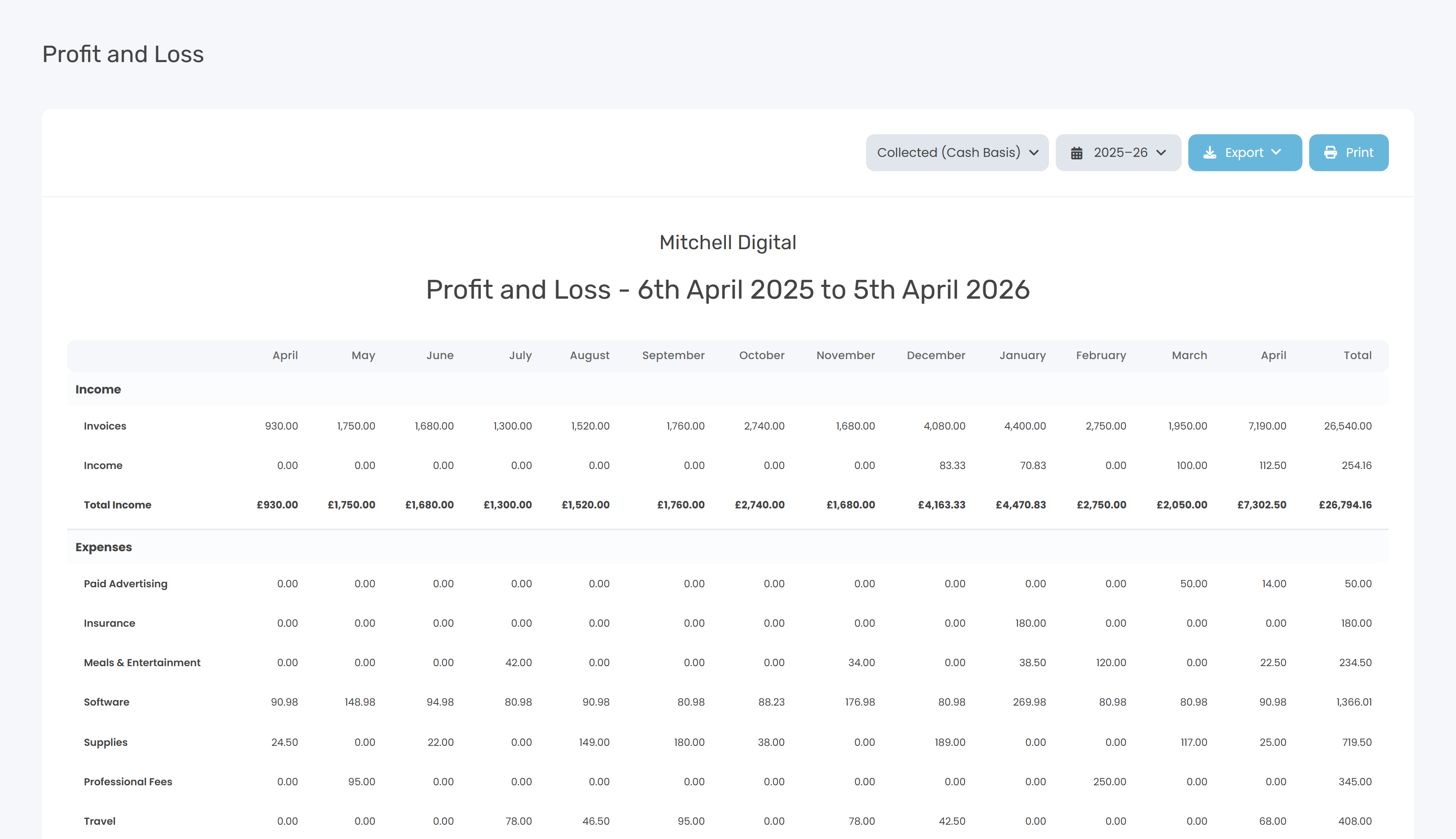
The Profit & Loss report (often shortened to P&L) is the headline view of your business: money earned, minus money spent, equals net profit. You'll find it at Profit & Loss - or click Reports in the sidebar and pick the Profit and Loss card.
A quick glossary
| Term | What it means |
|---|---|
| Income (or revenue) | Money coming in. Invoices you've raised and any other income you've logged. |
| Expenses | Money going out - the business costs you've recorded. |
| Net profit | Income minus expenses. What's left for you, before tax. A negative number is a loss. |
| Net vs gross | Net means after tax is taken off; gross means before. The P&L uses net figures throughout. |
What each row means
Months run across the top, rows down the left. The right-hand Total column sums each row across the whole date range.
| Row | What it shows |
|---|---|
| Invoices | Total from your invoices. Which invoices count depends on the Billing type (see below). |
| Income | Total from Other Income entries (cash sales, refunds, anything not invoiced). |
| Total Income | Invoices + Other Income. |
| One row per category | Expenses grouped by category. Categories with no spend in the range are hidden. Uncategorised expenses appear as Unknown. |
| Total Expenses | Sum of every category row. |
| Net Profit | Total Income minus Total Expenses - the number you actually care about. |
Filters at the top of the report
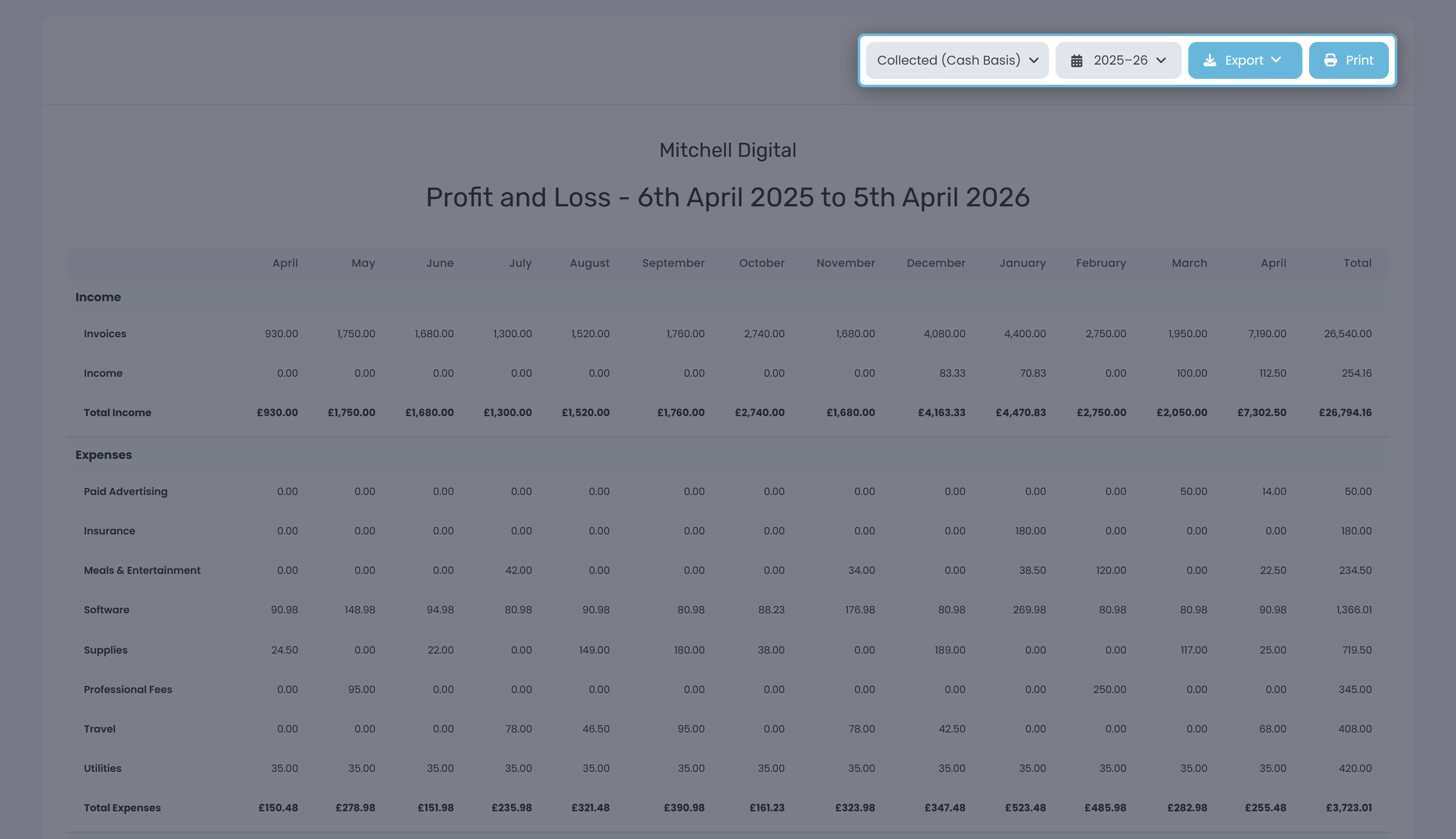
Billing type - Collected vs Billed
This dropdown changes which invoices count. It only affects the Invoices row - Other Income and Expenses always use their own dates.
| Setting | What it means | When to use |
|---|---|---|
| Collected (Cash Basis) - default | Counts invoices on the date they were paid. Unpaid invoices don't appear. | Most sole traders. HMRC's default for self-employed turnover under the cash-basis threshold. |
| Billed (Accrual) | Counts invoices on the date you raised them, paid or not. Drafts dated in the range are included. | If you report income when you earn it, not when you bank it. |
Date range
Defaults to the current financial year. For sole traders that's the UK tax year (6 April to 5 April); for limited companies it uses the year-end set in Settings.
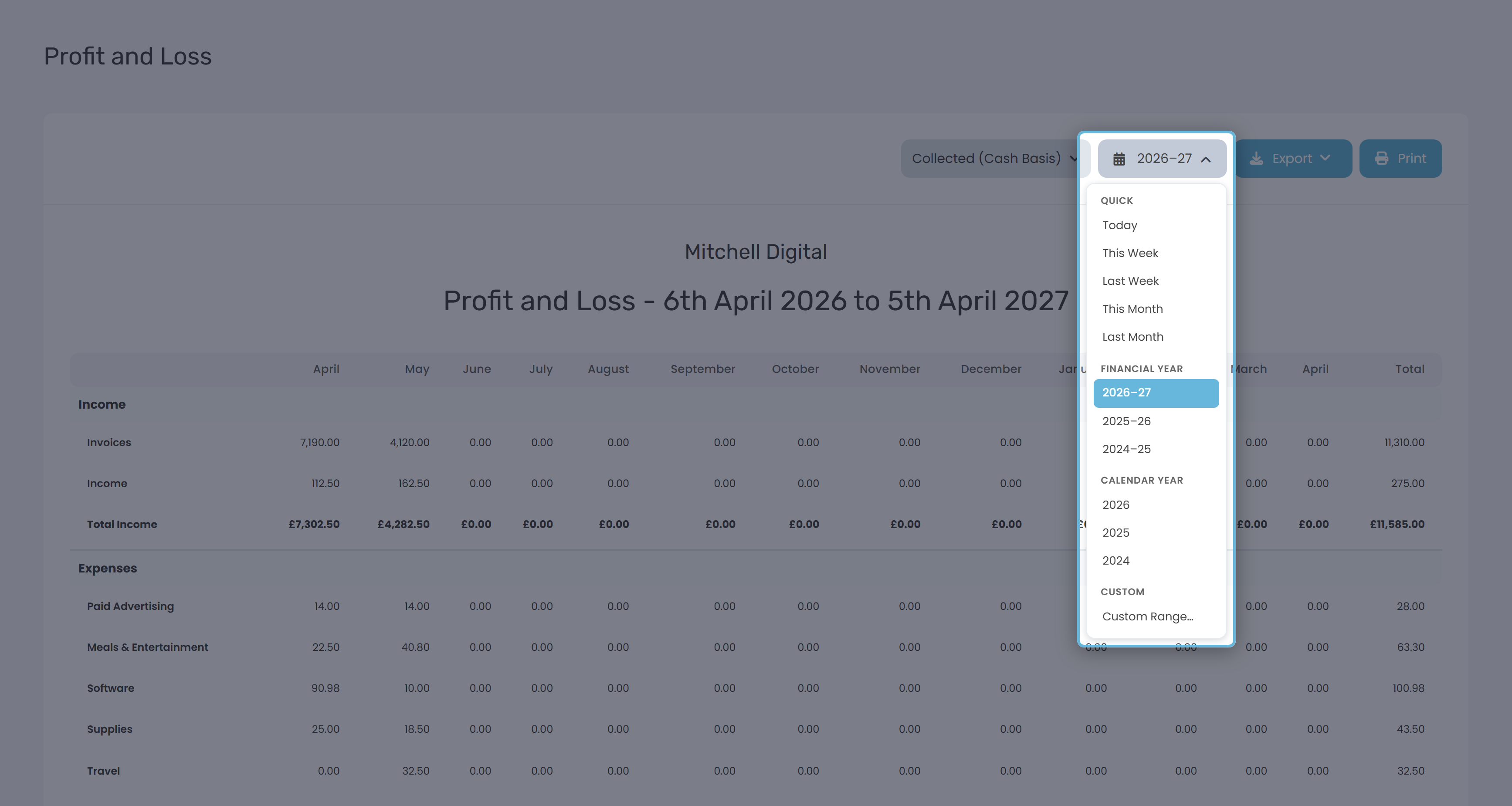
| Group | Options |
|---|---|
| Quick | Today · This Week · Last Week · This Month · Last Month |
| Financial Year | The current FY plus the two previous ones |
| Calendar Year | The current calendar year plus the two previous ones |
| Custom | Pick any start and end date on the inline calendar |
One column appears per calendar month the range touches - a 15 March to 5 April range gives you two columns, March and April.
Export and Print
Export gives you CSV or Excel (.xlsx), both with blank lines between the Income, Expenses and Net Profit blocks so they're easy to scan. Print uses your browser's print dialog - the print stylesheet hides the navigation and forces landscape A4. If columns get clipped on a long range, reduce the print scale to around 80%.
How Keepr handles tax in the P&L
Every figure on the P&L is net (ex-tax). Tax is held in separate fields and never rolled into Income or Expenses here. Invoices sum the net line-item total; Other Income sums the net figure (tax is extracted out of the gross when you record it); Expenses sum the net amount (tax is added on top).
Worked example
A freelance designer raises £4,000 of invoices in April, of which £3,200 gets paid by month end. They also sell a £150 print run as Other Income. Expenses: £80 Software, £45 Travel, £100 Office. All figures net of VAT.
| Row (Cash Basis, April) | Amount |
|---|---|
| Invoices | £3,200.00 |
| Income (Other) | £150.00 |
| Total Income | £3,350.00 |
| Software / Travel / Office Expenses | £80 / £45 / £100 |
| Total Expenses | £225.00 |
| Net Profit | £3,125.00 |
Switch to Billed (Accrual) and the Invoices row becomes £4,000 - the full amount raised, even though £800 was still outstanding. Net Profit jumps to £3,925. Same business, different question being answered.
When the numbers look off
| What you see | Likely reason |
|---|---|
| Income is lower than expected | You're on Cash Basis and customers haven't paid yet. Switch to Billed (Accrual) to see invoices raised but not collected. |
| A draft invoice is inflating Income | You're on Billed (Accrual). Drafts count because they have an invoice date. Delete the draft or switch back to Cash Basis. |
| A row labelled Unknown in Expenses | Expenses without a category get grouped here. Edit them and assign a category to tidy it up. |
| A category you used isn't showing | Categories with zero spend in the date range are hidden. Widen the range or check the expense dates. |
| Net Profit looks great but the bank is empty | The P&L is profit, not cash. Use the Summary page for cash position. |