
Filing your VAT return through Keepr
What Keepr does for VAT today, what's still on the roadmap, and how to keep your records ready for MTD VAT in the meantime.
Short version: Keepr's HMRC connection currently files MTD for Income Tax, not MTD for VAT. You can't yet click a button in Keepr to submit a VAT return to HMRC. What you can do is set up VAT rates, charge VAT on every invoice, log VAT on every expense, and pull the underlying figures out of your Profit & Loss when it's time to file. This guide walks through both halves - what works today, and what we're planning.
What MTD for VAT actually is
Making Tax Digital (MTD) is HMRC's rule that VAT-registered businesses keep digital records and file their returns through approved software. It's been mandatory for every VAT-registered business in the UK since April 2022 - there's no opt-out below the threshold any more. If you're VAT-registered, you're on MTD VAT, full stop.
VAT quarters and your stagger group
VAT quarters don't follow the tax year the way MTD for Income Tax does. Instead, HMRC assigned you a stagger group when you VAT-registered - that's the calendar that decides when your quarters end. You can check yours in your HMRC online account under Manage your VAT.
| Stagger | Quarter ends |
|---|---|
| Stagger 1 | March, June, September, December |
| Stagger 2 | April, July, October, January |
| Stagger 3 | May, August, November, February |
| Monthly | Every month - usually larger businesses or repayment traders |
| Annual accounting | Once a year - smaller businesses on the annual scheme |
Whichever stagger you're on, the deadline is the same: one calendar month plus seven days after the period ends. A quarter ending 31 March is due 7 May. The payment is due on the same day - late filing and late payment are separate penalties.
The nine boxes, in plain English
Every MTD VAT return is the same nine numbered boxes. When MTD VAT filing arrives in Keepr it will fill these in for you from your invoices and expenses. For now, here's what each one means so you can find the figures on your Profit & Loss and hand them to whatever you're filing through.
| Box | What it is | Where Keepr already has it |
|---|---|---|
| Box 1 | VAT you charged on sales ("output VAT") | Sum of the VAT lines on your paid invoices |
| Box 2 | VAT due on goods bought from EU (mostly Northern Ireland) | Usually £0 - Keepr doesn't track this separately |
| Box 3 | Total VAT due (Box 1 + Box 2) | Add Box 1 and Box 2 |
| Box 4 | VAT you paid on business purchases ("input VAT") | Sum of the VAT lines on your expenses |
| Box 5 | Net VAT to pay HMRC (Box 3 − Box 4) | The figure you owe - or get back, if it's negative |
| Box 6 | Total sales, excluding VAT | Net invoice totals on your P&L |
| Box 7 | Total purchases, excluding VAT | Net expense totals on your P&L |
| Box 8 | Goods sold to EU customers (mostly Northern Ireland) | Usually £0 |
| Box 9 | Goods bought from EU suppliers (mostly Northern Ireland) | Usually £0 |
For most UK freelancers and small companies, Boxes 2, 8, and 9 will be zero. The figures you actually have to work out are Box 1, Box 4, Box 5, Box 6, and Box 7.
What you can set up in Keepr today
Even though Keepr doesn't file the return yet, getting your records straight now means a clean export when the time comes - and clean figures for whatever you're filing through in the meantime.
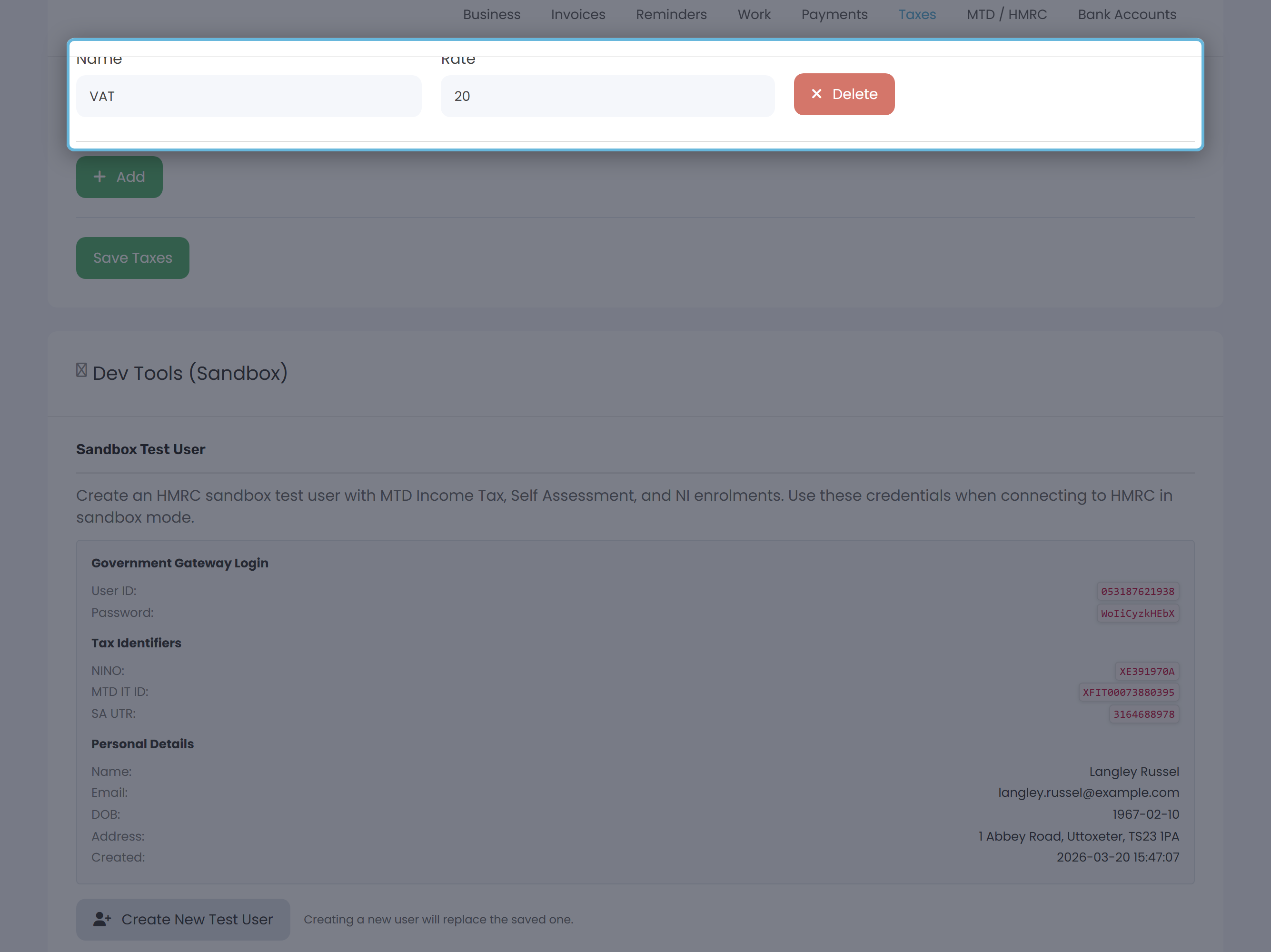
- Add your VAT rates. Open Settings → Taxes and add a row for each rate you charge: usually
VATat20for the standard rate. AddReduced VATat5if you ever invoice at the reduced rate. Step-by-step in Setting up tax preferences. - Pick a VAT rate on every invoice line. Each line has its own Tax dropdown. Lines tagged with the same rate name aggregate into a single VAT row on the rendered invoice, so your client sees one tidy total per rate.
- Pick a VAT rate on every expense you can reclaim. The Add Expense form has a single Tax dropdown. Tax is added to the net amount (net + tax = gross), so type the net figure if your receipt shows it broken down. Leave it on No Tax for anything you can't reclaim VAT on.
- Put your VAT number on invoices. Settings → Business → Tax Information. The label defaults to VAT Number - change it only if you want it to say something else.
Pulling the numbers out at filing time
When the quarter closes, open your Profit & Loss report and set the date range to your VAT quarter. Use the income totals to derive Box 1 (VAT charged) and Box 6 (net sales). Use the expense totals to derive Box 4 (VAT reclaimed) and Box 7 (net purchases). Box 5 is Box 3 minus Box 4.
Setting up Direct Debit for the payment
Direct Debit for VAT payment is set up once in your HMRC online account, not in any piece of accounting software (Keepr included, when it ships MTD VAT). Sign in to gov.uk, open Manage your VAT, then Payments and repayments, and set up a Direct Debit. From then on HMRC pulls the Box 5 figure from your bank three working days after each quarter's filing deadline. You don't have to remember to pay.
What's on the roadmap
When MTD VAT filing lands in Keepr it'll work the same way MTD for Income Tax does today: connect once to HMRC (the same connection covers both), pick the quarter on a hub page, review the nine boxes Keepr has worked out from your invoices and expenses, and click Confirm & Submit to HMRC. No bridging spreadsheet, no copying figures across. We're tracking it as the next major HMRC integration on the roadmap.