
Reading the Tax Summary report in Keepr
How to read your sales tax (VAT) figures, what each row means, and where to find your Self Assessment or Corporation Tax estimate instead.
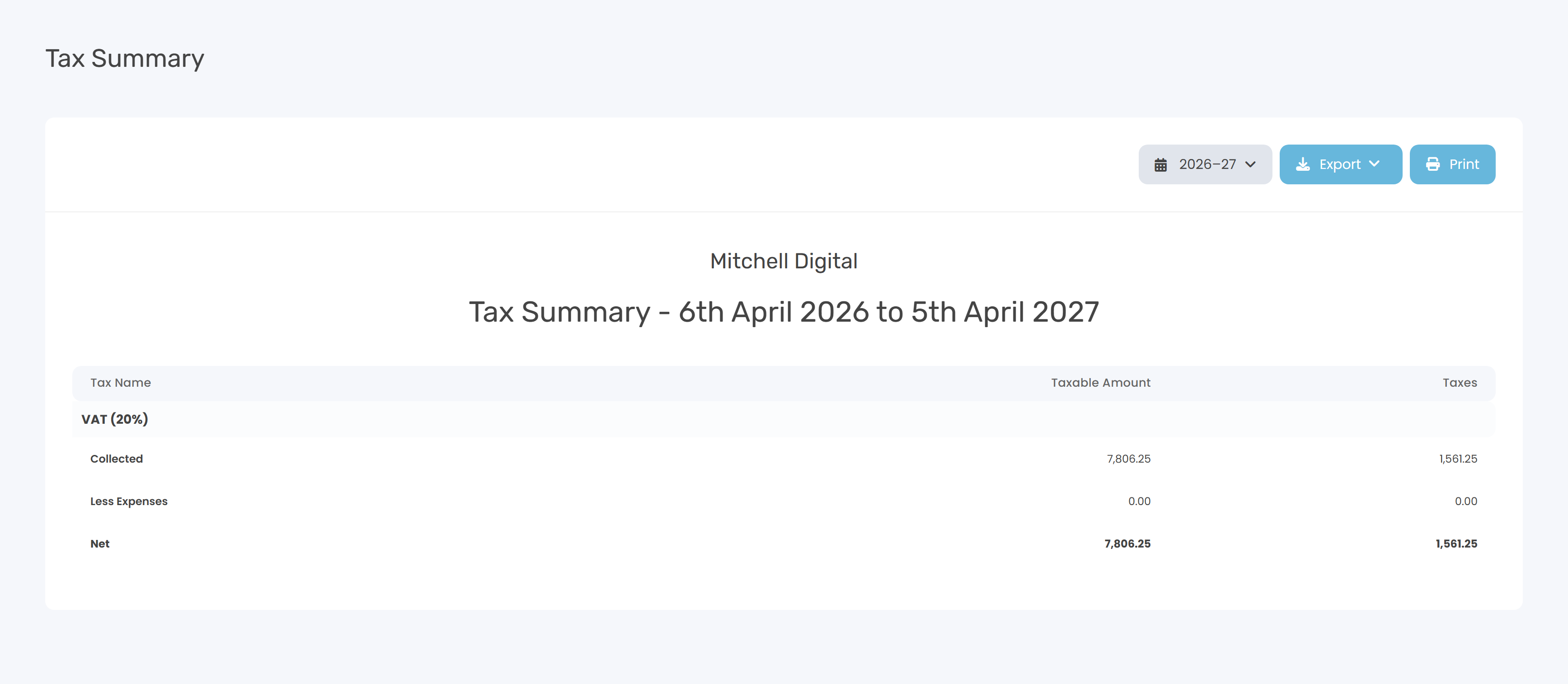
The Tax Summary report tells you how much sales tax you've collected on invoices, how much you've paid out on expenses, and the net amount you owe (or can reclaim) for a given period. In the UK that's usually VAT; the report works for any tax code you've set up. You'll find it at Tax Summary - or click Reports in the sidebar and pick the Tax Summary card.
A quick glossary
| Term | What it means |
|---|---|
| Sales tax / VAT | Tax you add on top of your prices and collect on behalf of HMRC. |
| Tax code | A name + rate pair you set up in Settings → Taxes - for example VAT at 20%. |
| Taxable Amount | The net (ex-tax) base figure. |
| Taxes | The tax portion itself. |
| Net | Collected minus Less Expenses. Positive = you owe HMRC. Negative = HMRC owes you. |
What each row means
For each tax code you've set up, the report shows a four-row block:
| Row | What it shows |
|---|---|
Header (e.g. VAT (20%)) | The tax name and rate from Settings → Taxes. |
| Collected | Sum of taxable amounts and tax across every invoice line tagged with this tax in the date range. Calculated as rate × net line amount. |
| Less Expenses | Sum of taxable amounts and tax across every expense tagged with this tax in the date range. |
| Net | Collected minus Less Expenses. This is what you remit to (or reclaim from) HMRC. |
Filters at the top of the report
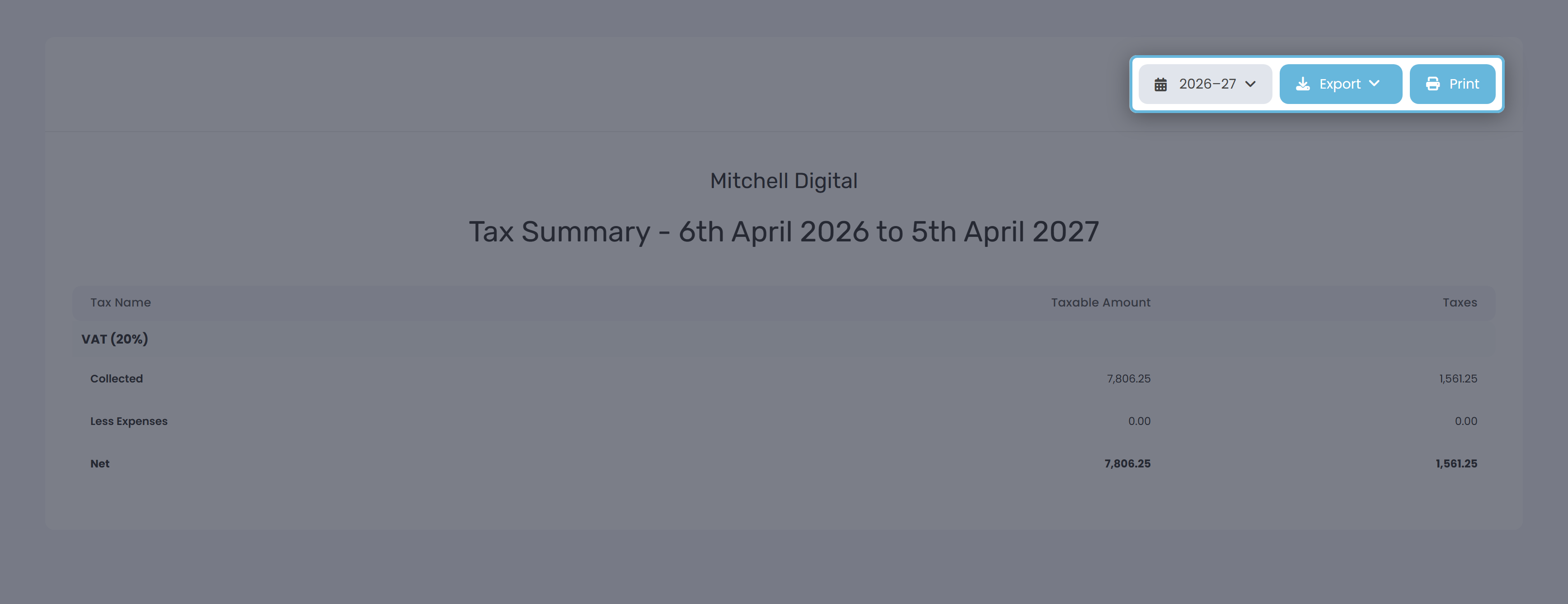
Date range
Defaults to the current calendar year (1 January to 31 December). The picker has four preset groups plus a custom range:
| Group | Options |
|---|---|
| Quick | Today · This Week · Last Week · This Month · Last Month |
| Financial Year | The current financial year plus the two previous ones |
| Calendar Year | The current calendar year plus the two previous ones |
| Custom | Pick any start and end date on the inline calendar |
Export and Print
Export gives you CSV or Excel (.xlsx) - same row structure as on screen. Print uses your browser's print dialog; the print stylesheet hides the navigation and forces landscape A4. Most browsers offer Save as PDF from the same dialog.
Setting up your tax codes
Tax codes are user-defined - they don't appear on the report until you add them in Settings → Taxes.
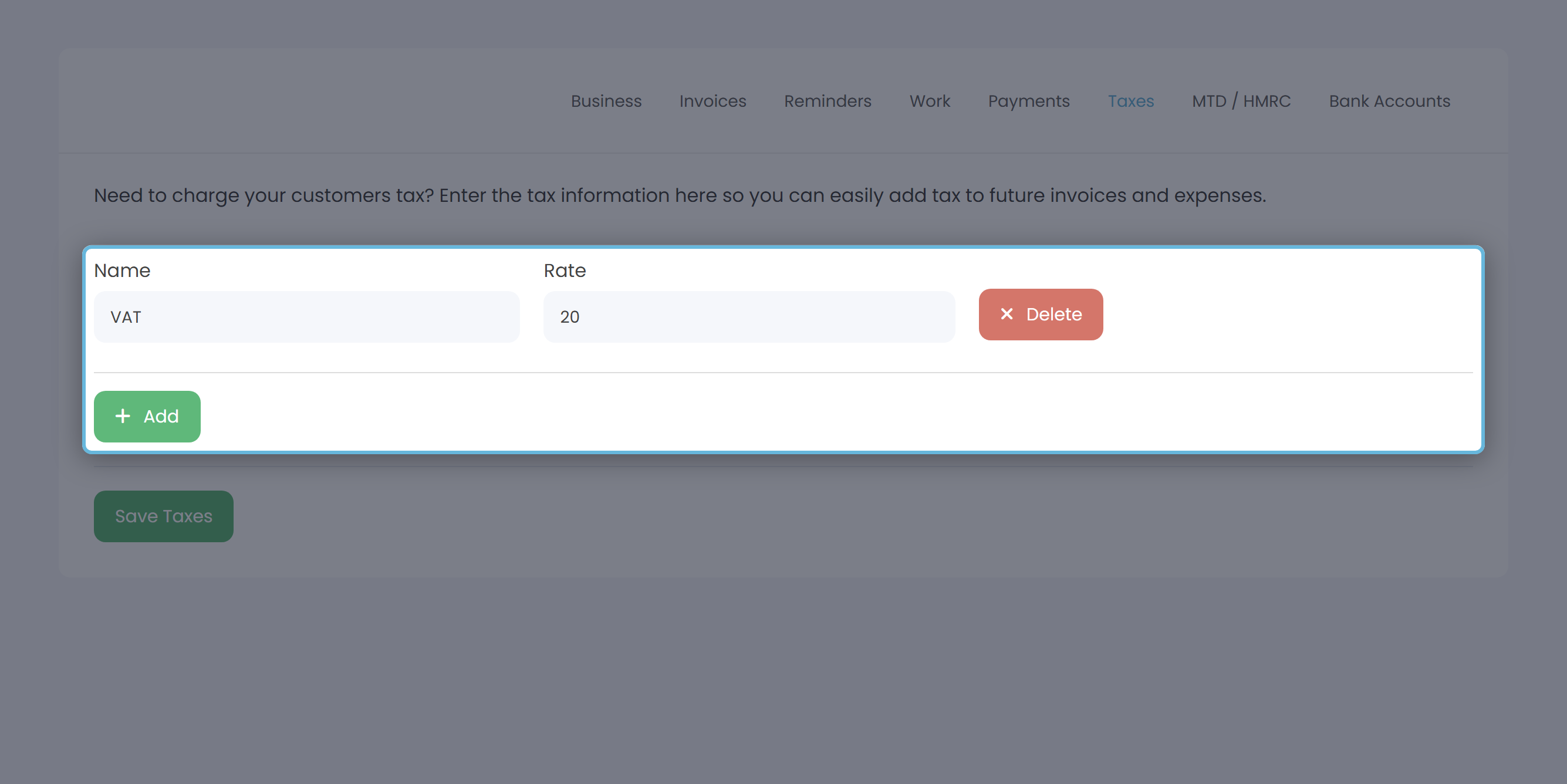
Once a tax code exists, you can tag invoice lines and expenses with it. The report picks up everything tagged with that name in the chosen date range.
Worked example
A VAT-registered freelancer turns over £72,000 of taxable invoices in 2025-26, with £14,000 of taxable expenses. VAT is 20%. The Tax Summary for the year shows:
| Row (VAT 20%) | Taxable Amount | Taxes |
|---|---|---|
| Collected | £72,000.00 | £14,400.00 |
| Less Expenses | £14,000.00 | £2,800.00 |
| Net | £58,000.00 | £11,600.00 |
The number to budget for is the Net - Taxes figure: £11,600 of VAT to remit to HMRC across the year (or roughly £2,900 a quarter).
Looking for income tax or Corporation Tax?
Despite the name, this report doesn't cover Income Tax, National Insurance, or Corporation Tax. Those estimates live on the Summary page, in the Tax Estimate card. Which version of the card you see depends on the Business Type set in Settings → Business.
Sole traders - Self Assessment estimate
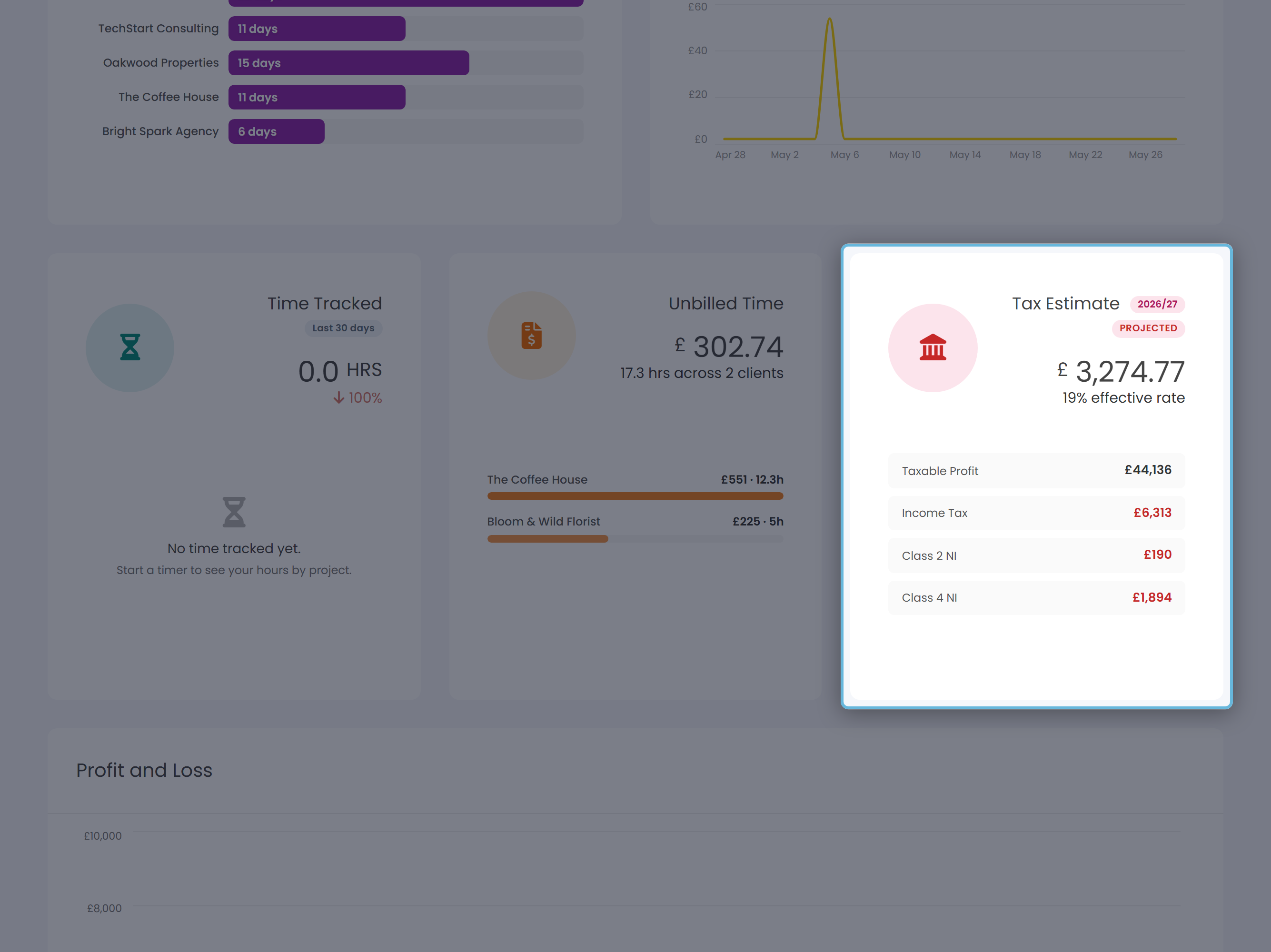
| Component | What it is |
|---|---|
| Income Tax | Tax on profit, stepped through HMRC's 20% / 40% / 45% bands, with a tapered Personal Allowance above £100k. |
| Class 2 NI | Usually £0 - Class 2 stopped being payable on 6 April 2024. Above the Small Profits Threshold the year counts towards your State Pension without you paying it. Only a voluntary payment below that threshold shows a figure. |
| Class 4 NI | Percentage of profits between the lower and upper limits (6% main, then 2%). |
| Student Loan | Shown if you've told Keepr which plan you're on (Plan 1, 2, 4, 5 or Postgraduate). |
Limited companies - Corporation Tax estimate
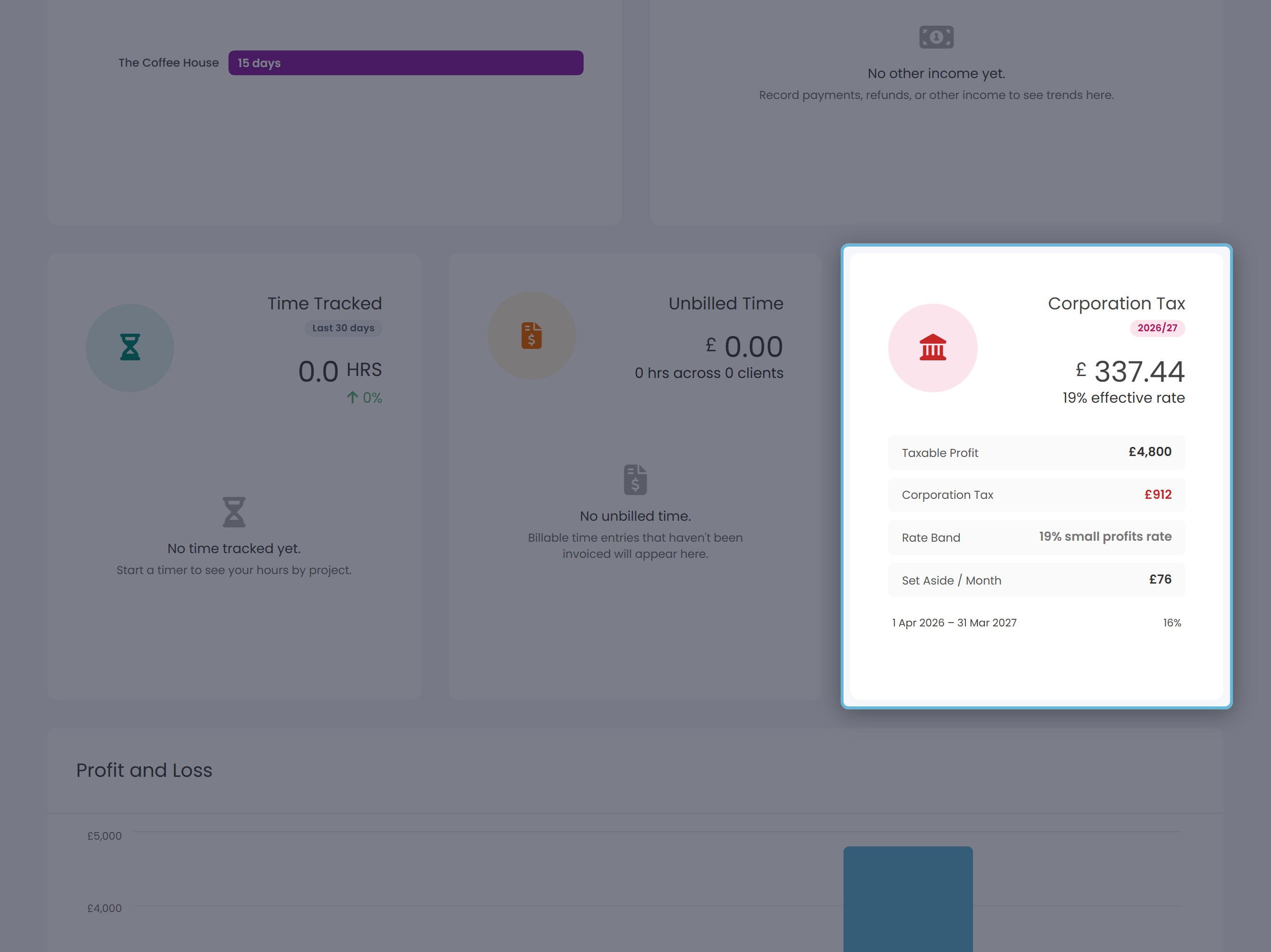
| Rate band | When it applies |
|---|---|
| 19% - small profits rate | Profits up to £50,000. |
| 25% - main rate | Profits of £250,000 or more. |
| Marginal relief (~26.5% effective) | Profits between £50,000 and £250,000. Keepr applies HMRC's 3/200 marginal relief fraction so the effective rate slides up smoothly. |
When the numbers look off
| What you see | Likely reason |
|---|---|
| No tax blocks at all | You haven't added any tax codes. Go to Settings → Taxes. |
| A block shows 0.00 across the board | The code exists but nothing in the range is tagged with it. Widen the range, or tag the relevant invoices/expenses. |
| Collected lower than expected | Cash sales logged as Other Income don't appear here - only invoiced sales do. |
| Net looks too high to remit | The report covers the whole range you picked. For a VAT quarter, narrow it to the quarter. |