
Estimating a project
The estimate isn't a guess - it's the price you agreed with your client. Setting it turns Keepr into an honest scorecard for how accurately you quote.
Most freelancers quote a project, do the work, move on. Nobody ever checks whether the price matched the time it took - which is where under-quoting hides, the same kind of job paying less per hour than it should, year after year. Keepr's Project estimate field is one number you fill in once. It's what lets the software tell you, months later, whether you won or lost on that job.
What “estimate” actually means here
The estimate is the agreed value of the project - the number you quoted and the client said yes to. Not a guess at internal cost, not a budget, not the figure you hope it'll come in at. If you sent a quote for £2,000 and they agreed, the estimate is £2,000. The field is optional, but filling it in is what unlocks the reporting that makes projects worth using.
Set it when you create the project
- In the sidebar, click + Add new... then New Project.
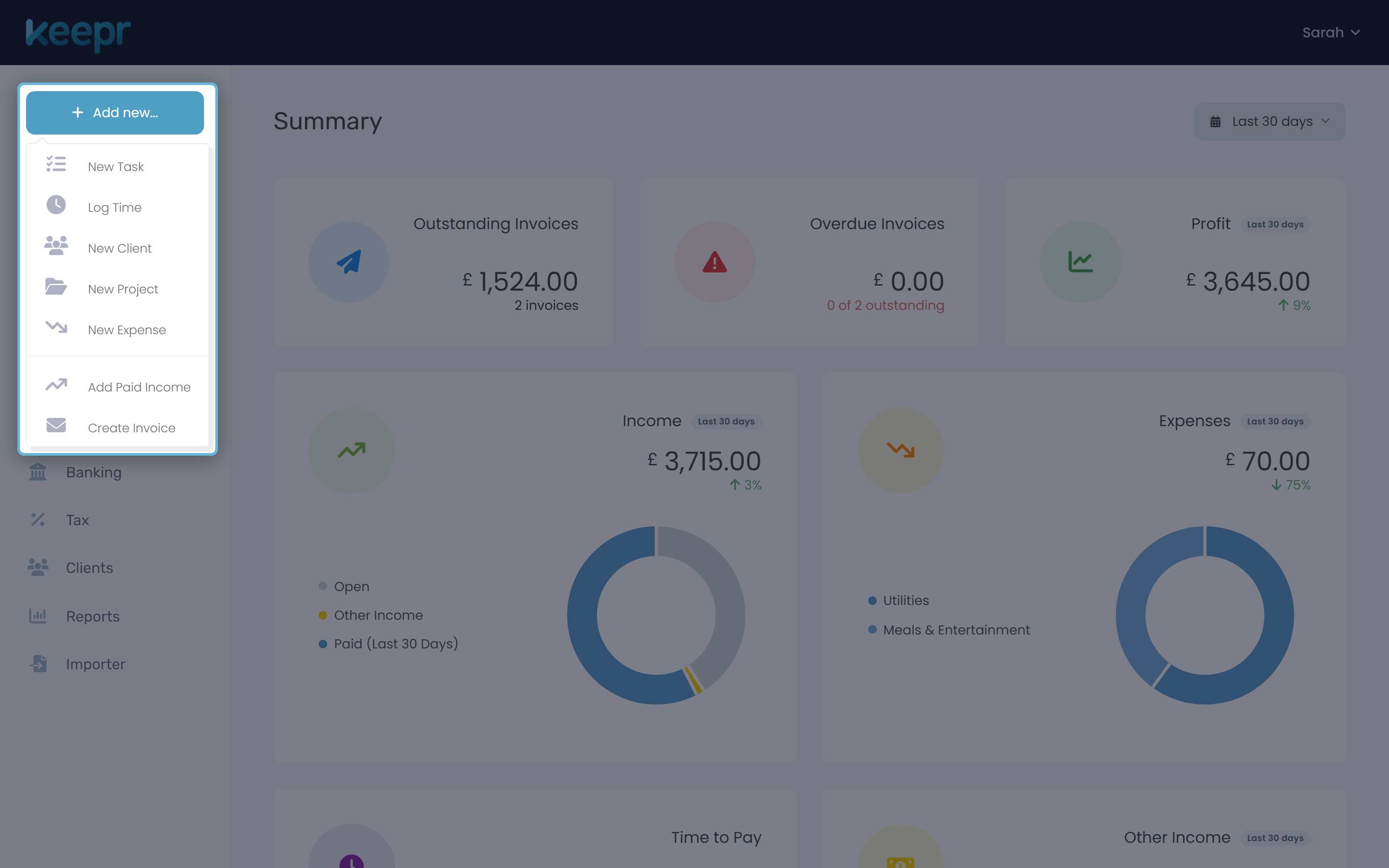
- Fill in the project name and client as usual.
- Scroll to Project estimate and type the agreed value - just the number, no currency symbol. The helper text underneath spells it out: What you've agreed to deliver this project for.
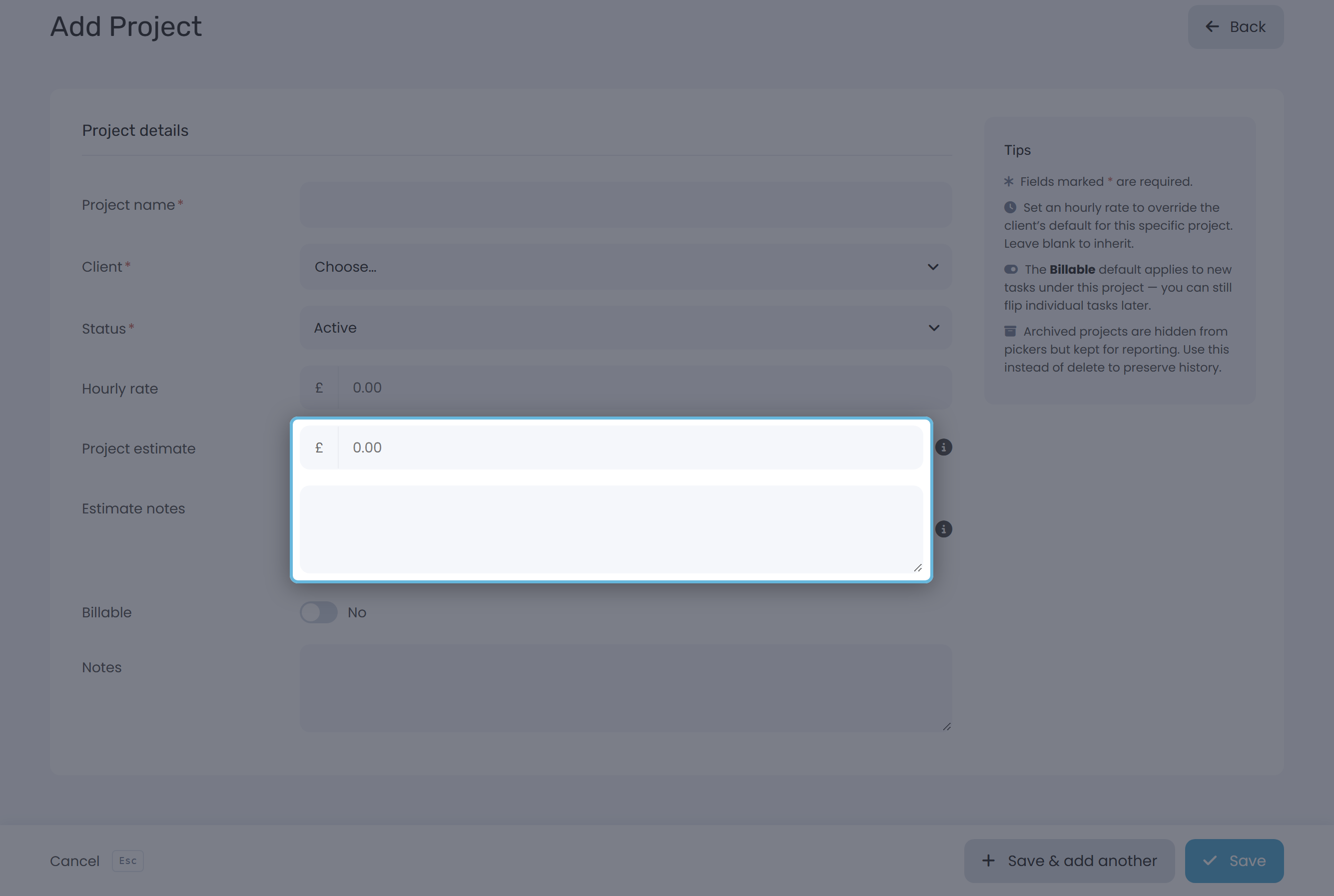
- Hit Save. The estimate is now wired into everything downstream.
Or set it later
Open Projects, click the row, and you'll land on the same form titled Edit Project. Fill in Project estimate, save, done.
Use the Estimate notes field
Right under the estimate is a free-text Estimate notes box. Treat it as your scope reminder - the answer to “what did I agree to deliver for that money?” Months later, when the client asks for “just one more” round of revisions, this is the field that backs you up.
| Write down | Example |
|---|---|
| What's included | “Logo concepts (3 rounds), final files, 1-page brand book PDF.” |
| What's not included | “Doesn't include print collateral or social templates.” |
| Revision count | “Two rounds. Further rounds billed at hourly rate.” |
| Special terms | Deposit paid, payment milestones, who owns the source files. |
How Keepr uses the number
Once the estimate is filled in, three things in Keepr start using it. Invoice this project, on the project's edit page, opens Add Invoice pre-filled with this client and a single line at the estimate value. Invoice from Project (in the income popover) lists active projects as Has estimate or Needs estimate, so you can generate a draft invoice in one click. And the headline use: the Project Profitability report compares the estimate against the hours you've logged, and tells you how far above or below target you landed.
A worked example
You're a designer with a target rate of £45/h. A client agrees a logo + brand book package for £2,000. Break-even is £2,000 ÷ £45 ≈ 44 hours. Under that figure, you beat your normal rate; over it, you earned less per hour than your usual work.
| Hours logged | Effective rate | Variance vs £45/h | Verdict |
|---|---|---|---|
| 20 hours | £100.00/h | +£1,100 | Strong project - quote with confidence next time. |
| 44 hours | £45.45/h | ±£0 | Break-even. You earned your normal rate. |
| 60 hours | £33.33/h | −£700 | Under-quoted. Worth understanding why before quoting the next one. |
| 90 hours | £22.22/h | −£2,050 | Significantly under-quoted. Scope creep, optimism or both. |
You don't have to calculate any of this - Project Profitability does it as soon as the estimate is in and time has been logged.
When scope creeps: update or hold the line?
Halfway through the job, the client asks for “just one more” thing. The instinct is to bump the estimate so the report still looks good. Don't, by default. The estimate is what you agreed - adjust it after the fact and profitability tells you what you wish had happened, not what did. Two options that keep it honest:
| Situation | What to do |
|---|---|
| Client added work but isn't paying more | Leave the estimate fixed. Let profitability show the hit. Use that data to push back on out-of-scope asks next time - or to re-price the same kind of job for the next client. |
| Client agreed to pay more for the extra work | Edit the project, raise the estimate to the new agreed total, and add a note: “Original £2,000 + £500 for additional landing page (agreed 4 May).” Now the report measures against the real agreement. |
The estimate takes five seconds to fill in. Months of data later, it tells you which kind of work consistently pays and which doesn't - information most freelancers never get to see about their own business.